

✨ 50 New Data Connectors
Connect 50 more data sources to Evidence, including Zendesk, Intercom, Mixpanel, Amplitude, Square, QuickBooks, Recurly, Pipedrive, Gong, LinkedIn Ads, and more. Set them up in a few clicks from the Connectors page.✨ Lemlist Connector
Connect your Lemlist data to Evidence. Sync campaigns, leads, and activities from your email outreach.View Documentation✨ Table Access Restrictions
Restrict tables to a chosen set of usersRestrict specific tables to a chosen set of users from the Access Rules settings page. Unrestricted tables stay open to everyone in the organization, and restricted tables show a lock badge in the editor’s schema list.View Documentation✨ Image component accepts data queries
Adddata and column props to the image component to load the image URL from a query and respond to filter changes — e.g. show the top-selling product’s photo, a client logo driven by a dropdown, or a dark-mode variant via dark_column.✨ Radar, Treemap, and Chord charts
Three new charts now available: radar_chart, treemap, and chord_chart✨ Mix single and multi select columns in table filters
Addsingle_select and multi_select to table_filter to set the selection mode per column — e.g. restrict a client column to one value at a time while keeping region and product filters multi-select.🐛 Y-axis titles stay legible above chart data
Chart contents no longer overlap the y-axis title — bars, areas, and lines that reach the top of the axis now render beneath the title instead of covering it. Gridlines are cut off cleanly behind the title rather than showing through the text, the title is vertically aligned with the top axis tick label, and a subtle text outline keeps it readable when data passes directly beneath it. Applies to both left and right (y2) axis titles.🐛 range_calendar “all time” no longer breaks raw SQL
Referencing{{ date_filter.between }} in a where or SQL template while “all time” was selected previously produced an empty string, which broke the query (where date → syntax error). .between now emits IS NOT NULL for “all time”, so where="date {{ date_filter.between }}" matches all rows and just works.The new all_time_range attribute controls what “all time” means for a specific range_calendar:all_time_range="none"restores the previous empty-string behavior — pair it with[[ ]]conditional blocks or a| fallbackwhen the whole clause should drop (e.g. to keep NULL-date rows, whichIS NOT NULLotherwise excludes).- Set it to a bounded range — a preset key (
"last 12 months"), acustom_rangeslabel, or a range expression ("from 2022-12-01") — and “all time” resolves to that range everywhere (.between,.start,.end, and thedate_rangevalue). If you were faking this with a| fallbackin yourwhereclause, setall_time_rangeto that range and delete the fallback.
.start / .end stay empty for unbounded “all time” (so date spines and axes fail loudly rather than silently wrong), and .filter / a filters=[...] reference stay a true no-op that keeps NULL rows.🐛 Fix for AI chat losing conversation context
Fixed an issue where the AI chat could respond to an earlier message in long conversations instead of the one you just sent.🐛 Sparkline hover values now use theme foreground
Sparkline hover values and the vertical tracking line follow the theme’s foreground and muted-foreground tokens, restoring contrast in light mode (most visible on big_value sparklines).✨ AI Agent Multi-File Edits
The AI dev assistant can now edit multiple files in a single turn — as well as create, rename, and move files.✨ Extra tooltip rows on chart series
Addtooltip_fields to any bar_chart / line_chart / area_chart / scatter_chart / bubble_chart — or to bar, line, area, scatter, bubble inside a combo_chart — to surface additional aggregated values on hover, with optional labels, format codes, and color_by_sign / down_is_good for delta-style coloring.✨ Link charts together
Addconnect_group to charts to sync their tooltips, axis-pointer, and zoom across any charts sharing the same id — e.g. stack a price chart above a volume chart, align KPIs that share a time axis, or coordinate small multiples.✨ Customize built-in charts with ECharts options
Override any ECharts option on built-in charts viaecharts_options (chart-wide) or echarts_series_options (looped across every series).✨ Attach images to editor AI chat
Click the image button in the editor chat composer to attach screenshots or other images for the AI agent to see alongside your message.✨ Custom components
Build your own Markdoc tags fromcomponents/*.md files — each component declares its attributes in frontmatter and gets autocomplete, slash-command, and AI-tool support just like a built-in.✨ Pin color scale values in tables
Anchor a measure’s color scale to specific data values withcolor_stops.✨ Custom HTML in reports
Embed your own HTML and JavaScript anywhere in a report with the new{% html %} block. Build custom visualizations that integrate with Evidence’s filters, queries, and theme — using any library, like D3 or deck.gl.🐛 Hide unneeded subtotal rows in tables
Tables now hide duplicative subtotal rows that only summarize a single item, while keeping the grand total.✨ Expanded theme options
Themes now include fonts, colors, corner roundness, spacing density, and chart defaults, applied consistently across the whole report. Override the theme for a single page when you need to.✨ Custom date ranges
Addcustom_ranges to {% range_calendar %} to generate named presets — e.g. fiscal years, seasons, and retail calendars.🐛 Smoother schema panel refresh
The refresh button no longer pushes content down or hides the schema list while reloading, and long table or column names truncate instead of forcing horizontal scroll.✨ Show size dimension in bubble and scatter chart tooltips
Bubble and scatter chart tooltips now display the size dimension value, with a newsize_fmt attribute for formatting.🐛 Faster, more reliable editor preview on heavy pages
Fixed an issue where the editor could lock up on pages with many charts and tables.🐛 Fix heatmap collapsing at wider screen widths
Fixed heatmap charts collapsing into a small box at certain screen widths.✨ Impersonate
Create and manage access tokens for programmatic API access from the new Access Tokens settings page. Admins and developers can impersonate team members to see exactly what they see (disabled by default).🐛 Fix dropdown search failing on BigQuery
Fixed an issue with searching a dropdown or table filter for BigQuery direct connections.✨ Failed Publishes No Longer Affect Viewers
If a publish fails, your project keeps serving the last successful version — viewers never see broken content.🐛 Fix spurious markdown validation errors on PRs
Fixed the PR markdown-validation check reporting false-positiveundefined-translation-key and undefined-frontmatter-variable errors on pages using translations and on partials that receive variables from the pages including them.✨ Publish History & Rollback
View your project’s publish history and roll back to any previous version.✨ ClickHouse direct connector
Connect Evidence directly to your own ClickHouse instance to build reports on live data without syncing it first.View Documentation✨ Make the selected option in button_group and input_tabs more noticeable
The selected button in button_group and the active tab in input_tabs now stand out more clearly.✨ New share menu and additive page access
The redesigned share menu lets you grant page-level access on top of project access, so you can share a single dashboard with a stakeholder who shouldn’t see anything else.✨ Vibe code any visualization with the custom_echart component
Need a chart Evidence doesn’t have out of the box — a waterfall, a bridge, a radar, something bespoke? The newcustom_echart component lets you build any visualization you can imagine. Describe what you want to the assistant and it writes the chart for you, wired up to your data, filters, and theme automatically.✨ Pre-select the top N options in a multi-select dropdown
Multi-select dropdowns now accept adefault_top_n attribute that pre-selects the first N options on load. Combine it with order to control which N are selected by default — which viewers can then change.✨ New Publish Menu in Editor
View pending changes and open pull requests directly from Studio.✨ See what each user, group, and customer can access
Admins and developers can now see every project and page a user, group, or customer can access, plus how that access was granted.🐛 Share menu now lets you grant page access to any team member
The Page tab of the share menu now lists every internal team member, so you can grant page access directly without first adding them to the parent project.🚀 Add users to groups when inviting, and see group memberships in the team table
Admins can now pick groups when inviting or manually creating users, and the Team settings page shows each member’s group memberships in its own column.🚀 HubSpot Connector
Updated the HubSpot connector with more reliable syncs and broader table coverage.View Documentation✨ Microsoft Fabric direct connector
Connect Evidence directly to a Microsoft Fabric Warehouse or Lakehouse SQL endpoint to build reports on live data without syncing it first.View Documentation🐛 PDF exports preserve dropdown filter values
PDF exports of pages with aselect_first=true dropdown no longer revert the filter to its auto-selected default when the URL specifies a different value.✨ Map area layer min, max, and midpoint
Maparea_layer and point_layer now accept min, max, and midpoint props so you can pin a diverging color scale at zero (or any other value).🐛 Fixed bar chart tooltip not displaying point_title
Fixed an issue where thepoint_title attribute on bar, line, and area charts was ignored in the tooltip.✨ File change indicators in editor sidebar
Files with uncommitted changes now show colored status badges (M/A/D) in the editor sidebar file tree, so you can see which files have been modified without switching to the Version Control tab.✨ Copy link to pages
Copy a shareable link to the current page from the page menu, with option to include the current filters.✨ Download report as PNG
Save a full page as a PNG image from the page menu.🚀 Dedicated Groups settings page
Groups now have their own page under Settings → Groups, separate from team members, with a detail view for managing each group’s members and access.✨ Snowflake and BigQuery direct connectors
Link Evidence to Snowflake or BigQuery directly to build reports without syncing data.View Documentation🚀 Improved discoverability of date input components in AI chat
Added search keywords torange_calendar, date_grain_selector, and comparison_selector so the AI assistant can find them when users ask for “date range filter”, “date picker”, “date input”, etc.🚀 Long chart label rotation
Charts now rotate long x-axis labels automatically so category names are easier to read without hovering.🐛 Map area layer filter updates
Fixed a bug where area charts did not respond to filter changes.🚀 Data download title filenames
Data downloads now use titles in file names.🐛 Horizontal bar chart axis bound validation
Thehorizontal_bar_chart now reports a validation error when x_axis_options.min is greater than or equal to x_axis_options.max.✨ Evidence CLI now available on Windows
The Evidence CLI now ships a Windows x64 binary, installable via PowerShell:irm https://gaamozau3jchzs3r.public.blob.vercel-storage.com/cli/install.ps1 | iex.View Documentation🚀 Default tab selection
Adddefault=true to a {% tab %} to pre-select it on page load instead of always defaulting to the first tab.🐛 Data labels render on area and line charts
Fixeddata_labels not appearing on area_chart, line_chart, and combo_chart line/area series.✨ Add today and yesterday range calendar presets
Range calendars can now opt into Today and Yesterday preset ranges.🚀 Faster Page Create and Rename
Creating, renaming, and reorganizing pages and folders in the editor sidebar is noticeably faster.🐛 Mobile sidebars close after navigation
Fixed mobile sidebars staying open after selecting a navigation link.🐛 Improved SQL file support in GitHub integration
Improved how SQL files sync between Studio and GitHub.🐛 Branch-aware link autocomplete and validation
Editor link autocomplete and validation now include pages that exist only on the current branch, and AI chat no longer flags them as broken.🐛 AI chat current date awareness
Fixed AI chat date context so the agent knows today’s date when answering in editor and viewer chats.🐛 Locally-authored pages now appear in Studio
Fixed an issue where files created locally and synced to GitHub were not appearing in Studio.🐛 Stable heading logo sizing
Fixed an issue where logos inside headings could briefly render at the wrong size on page load.🐛 Fix unquoted variables in partial attributes
Fixed an issue where unquoted variable references in component attributes failed when rendered from partials.🐛 Fix x_sort=“data” imposing an x-axis sort
Fixed an issue where settingx_sort="data" on bar and line charts still sorted by the x-axis instead of preserving the source query’s row order.🐛 Embedded page centering without TOC
Fixed an issue where embedded pages could stay shifted to the left after the table of contents was turned off.🐛 Stable logo sizing on load
Fixed an issue where logos in headings could briefly render at the wrong size while the page was loading.🐛 Improved models table readability
Fixed an issue where the models table was not sorted by name by default and long descriptions were hard to scan.✨ Select content for PDF exports
Choose which sections and components to include when exporting a PDF.🐛 Source failure modal fix
Fixed an issue where opening a failed source status could show a blank blocking modal instead of the failure details.🚀 Longer AI chat sessions
Increased the maximum AI chat response time so longer agentic conversations no longer time out.🚀 Collapsible projects in published and preview sidebars
Projects in the sidebar can now be collapsed and expanded by clicking the project name, with state persisted across sessions.🚀 Table Actions
Download and Fullscreen buttons now available in Table footers.✨ Connector renaming
You can now rename connectors directly from the connectors page or the connector detail page by clicking the pencil icon next to the name.🐛 Dropdown search now handles nullable values safely
Fixed an issue where searching in a dropdown could fail when the value or label column contained empty values.✨ Data lineage
See where your connectors and tables are used across projects, pages, models, and queries. Available in the connectors page, connector detail pages, models page, AI chat, and the CLI.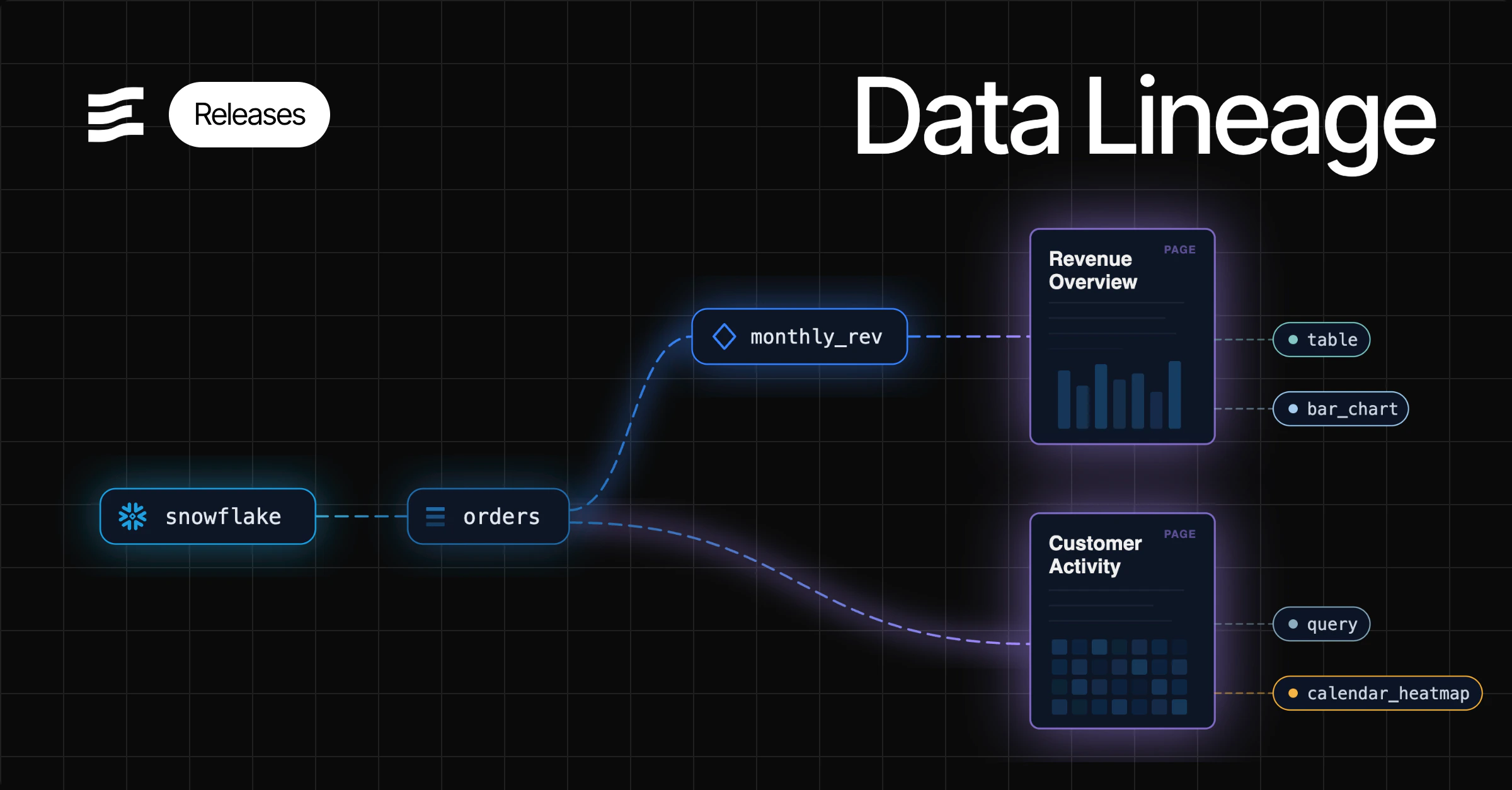
🚀 Resizable SQL console schema panel
The SQL console schema panel can now be resized by dragging its edge so long table names are easier to inspect.✨ Connector and model health status
Connectors page now shows health status and sync schedule for all connector types. Newconnectors and models CLI commands let you check health statuses from the command line.🐛 Fixed theme settings loading state while editing colors
Fixed an issue where editing theme color values could cause a broken loading state in settings.🐛 Fixed inline SQL editor query references
Fixed an issue where inline SQL editor queries could fail when referencing other inline queries.🐛 Fixed unexpectedly large branch diffs
Fixed an issue where small edits in Git-connected branches could appear as much larger diffs than expected.🐛 Fixed stacked combo charts on time-based axes
Fixed an issue where stacked combo charts on time-based axes could render blank or incorrect series data.🐛 Fixed filter bar not floating on scroll in published pages
Fixed an issue where the filter bar would not stay pinned to the top of the page when scrolling in published mode.✨ Usage Analytics
Track how your team uses Evidence with built in analytics tables for sessions, users and page views.🐛 AI theme updates apply instantly
Fixed an issue where theme changes made by the AI assistant only appeared after a page refresh.✨ Audio Component
Embed an audio player in your reports with{% audio url="..." /%}. Supports mp3, wav, ogg, and other formats, with options for looping, autoplay, and preload behavior.🐛 Calendar heatmap dark mode colors
Fixed an issue where calendar heatmaps could show white empty-day cells in dark mode instead of blending with the page or card background.✨ Conditional colors for dimensions and rows
Apply conditional background colors to entire rows or individual dimension cells using SQL expressions.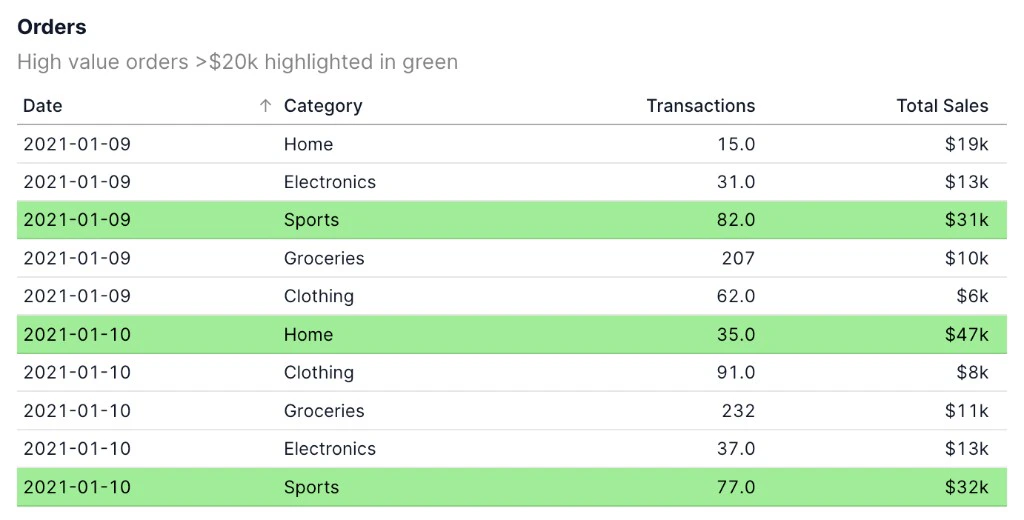
🐛 Fixed table SQL error overlay spacing
Fixed an issue where table SQL errors could overlap content below the table.🐛 Expanded background color options for AI theme updates
Expanded the background color options the AI agent can change in theme updates.✨ YouTube Analytics Connector
Connect your YouTube Analytics data to Evidence. Sync channel reports, content owner reports, and metadata tables.View Documentation🐛 Fixed combo chart SQL with toggle-driven inline queries
Fixed an issue where combo charts could fail when inline queries used toggle values in SQL conditions.✨ Multiplayer editor
Collaborate with your team in real-time with live cursors and presence indicators.✨ Axis titles for heatmaps
Heatmaps now supportx_axis_title and y_axis_title so you can label both axes directly on the chart.🐛 Fix for table column groups with link attribute
Fixed an issue where adding alink attribute to a table dimension would cause all column groups to disappear.🐛 Fixed spacing in the back-to-partial label
Fixed an issue where the “Back to partial” label appeared without a space in preview mode.🐛 Horizontal bar chart axis min/max now apply exactly
Fixed an issue wherex_axis_options.min and x_axis_options.max on horizontal bar charts could be ignored instead of enforcing the requested axis range.✨ SAP HANA Connector
Connect your SAP HANA data to Evidence. Sync data from SAP ECC and SAP S/4HANA systems running on the HANA platform.View Documentation🐛 Fix slider lockup with invalid step values
Fixed an issue where sliders could freeze the page when configured with an invalid step value.✨ Third-party analytics for published pages
You can now add your own Google Analytics (GA4) or PostHog tracking to published and embedded pages. Configure your analytics provider in Organization Settings under Third-Party Analytics. Available on Enterprise plans.🚀 Collapsible folders in published and preview sidebars
Added click-to-expand and collapse behavior for sidebar folders in published and preview pages to make navigation easier in larger projects.✨ Added This Month and Next Month date presets
Range calendars now supportthis month and next month presets so you can filter full calendar months including upcoming dates.🐛 Dropdown options now support numeric values for initial selection
Fixed an issue where dropdown initial values could fail to apply when option values were provided as numbers.🚀 Loading indicator for map components
Map components now show a loading indicator while map data is being fetched so blank maps are less confusing during slow queries.🐛 Fix for occasional AI chat timeouts
Fixed an issue where the AI agent could appear to run out of time when working with large queries.🐛 Fix for table search
Fixed an issue where searching in tables could produce errors or fail to recover after clearing a search.🐛 Fix table sorting when subtotal rows are hidden
Fixed an issue where sorting by measure columns in tables could produce incorrect order when subtotal rows were hidden.🚀 Add mmm-yy date format
Added a built-inmmm-yy format code so dates can be displayed as month and two-digit year, like Jan-22.🐛 Fix mobile sidebar close animation flicker
Fixed an issue where the sidebar would briefly flash back into view at the end of its close animation on mobile devices.🐛 Comparison column formatting fix
Fixed an issue where prior period comparison columns in tables did not apply the same number format as the main value column.✨ Evidence CLI
Develop Evidence Studio projects locally from the command line withevidence dev.View Documentation🐛 Improve filter value visibility in the editor sidebar
Fixed an issue where filter values in the editor sidebar could be hard to read by showing each value on its own line.🐛 Recent AI chats update instantly
Fixed an issue where new AI chats would not appear in Recent chats until the page was refreshed.🐛 Improved spacing for small tables
Fixed an issue where tables with only a few rows could show unnecessary empty space.🚀 Clearer error when defining queries inside components
Added a validation error when inline queries are defined inside components like tabs, accordion, or details. Queries should be defined at the top level of the page.🐛 Accordion items now maintain their original order
Fixed an issue where accordion items could reorder themselves based on when they were last updated instead of their original document order.🐛 Support for branch names with slashes in GitHub integration
Fixed an issue where branches containing slashes (e.g.,feature/my-branch) would break navigation across the editor, preview, published views, and PDF generation.🐛 Button group and dropdown initial value fix
Fixed an issue where button groups and dropdowns could not set an initial value when using a numeric value column.🐛 Fixed organization logo display in dark mode on published pages
Fixed an issue where the organization logo in the sidebar could appear as a dark image on a dark background when viewing published pages in dark mode.🚀 Option to hide axis title arrow
Added atitle_arrow option to x_axis_options that lets you hide the arrow (→) on chart axis titles.🚀 Demo data table references updated
Demo data tables have moved to thedemo schema (e.g. demo_daily_orders → demo.daily_orders). You may need to update references in existing projects and models.🐛 Fixed model save failing after validation
Fixed an issue where saving a model could fail if the SQL query contained leading or trailing whitespace.🐛 PDF downloads from editor now use working version
Fixed an issue where downloading a PDF from the editor would always produce the committed version instead of the current working draft.🐛 Print group cards spacing fix
Fixed an issue where wrapping components in a print group with cards layout enabled would remove the spacing between cards.🐛 Google Analytics setup links to Evidence docs
Fixed an issue where the Google Analytics connector setup page linked only to the Fivetran docs instead of the Evidence docs page.🚀 More reliable PDF generation
Improved PDF generation reliability, especially for pages with conditionals, partials, and many components.🐛 PDF downloads from preview now use working version
Fixed an issue where downloading a PDF from the preview route would always produce the published version instead of the working draft.🐛 Fixed chart rendering error on published pages with point_title
Fixed an issue where charts using thepoint_title attribute could fail to render on published pages.🐛 Fixed scatter chart tooltip with point_title and series
Fixed an issue where thepoint_title attribute on scatter charts was ignored in the tooltip when a series attribute was also set.🐛 Fixed scatter chart size attribute
Fixed an issue where thesize attribute on scatter charts was ignored, causing all points to render at the same size.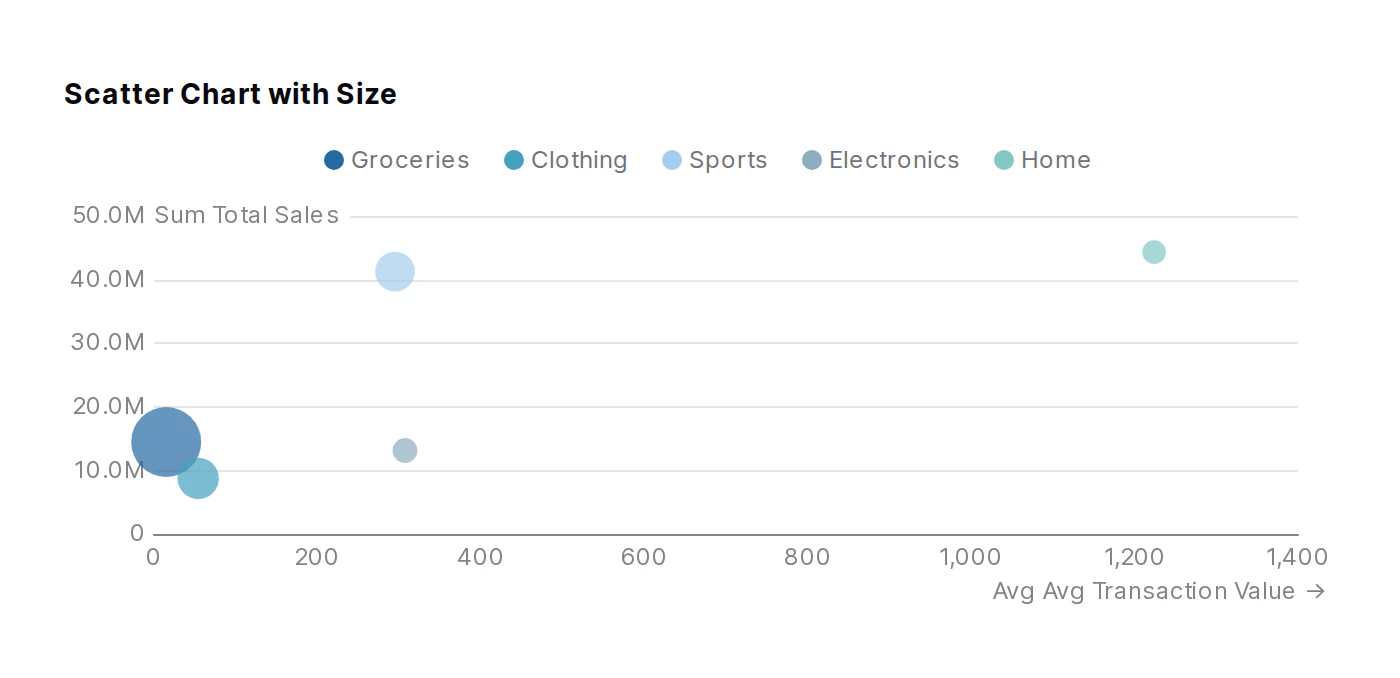
✨ Date range support for map layers
Map layers (point_layer, area_layer, and heatmap_layer) now support thedate_range attribute for filtering data by time period.✨ PayPal Connector
Connect your PayPal data to Evidence. Sync transactions, invoices, payments, subscriptions, and billing plans.View Documentation🚀 Connection string autofill for PostgreSQL connections
You can now paste a PostgreSQL connection string into any field when setting up a PostgreSQL connection, and all fields will be automatically filled in.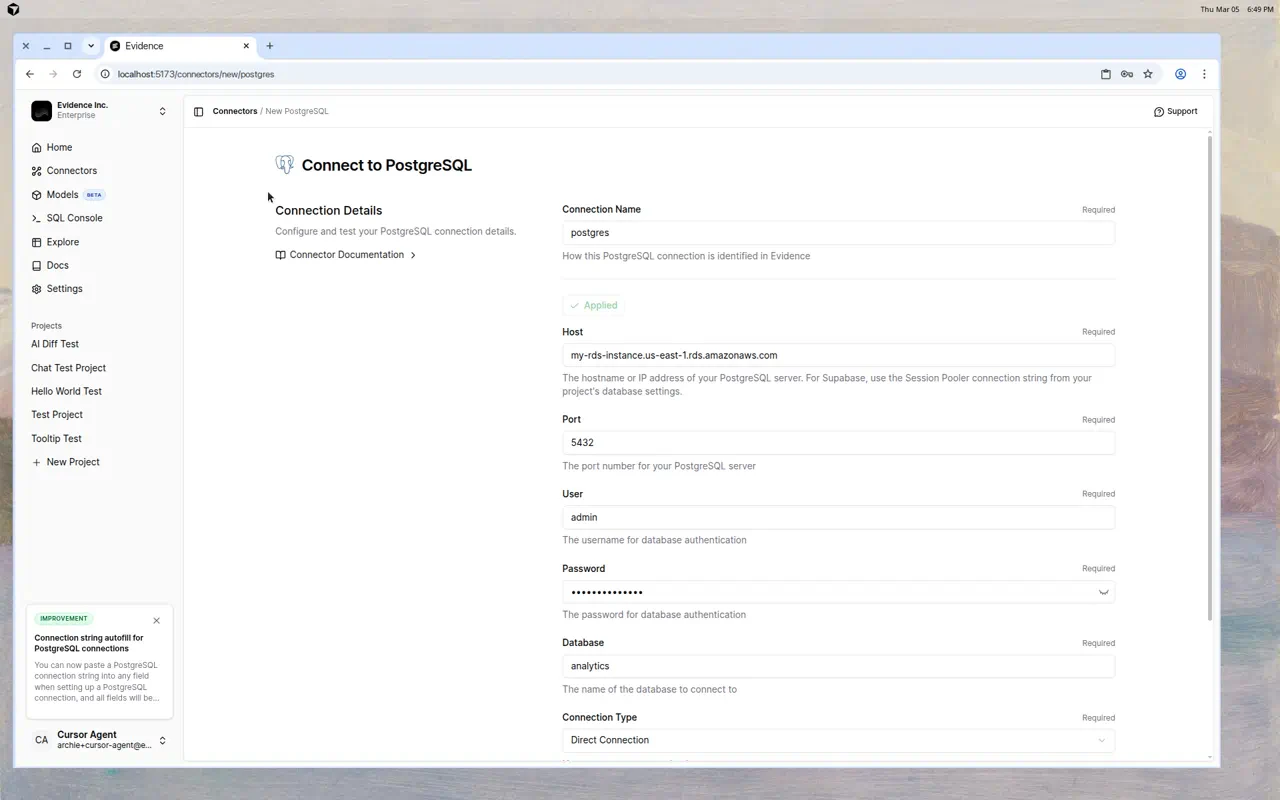
✨ RevenueCat Connector
Connect your RevenueCat subscription data to Evidence. Sync subscribers, transactions, entitlements, offerings, and products.View Documentation🚀 Invite team members from the Share menu
Added a quick link to Team Settings from the Share menu so you can invite new team members while managing page or project access.🐛 Fix for dimension grid with inline queries
Fixed an issue where the dimension grid component could not use inline SQL queries as its data source.🐛 Fix legend color for lines with explicit color in combo charts
Fixed an issue where lines in combo charts with an explicit color option (e.g.,options={color="black"}) would display the palette color in the legend instead of the specified color.🚀 Improved component search with keyword aliases
Added search keywords to component schemas so components can be found by common alternative names (e.g., “scatter plot” for scatter chart, “donut” for pie chart, “KPI” for big value).🐛 Fix filters with multiple consecutive spaces in values
Fixed an issue where filter values containing multiple consecutive spaces would fail to match data correctly.🐛 Fix collapsible table arrows not showing with hide_row_totals
Fixed an issue where collapsible table arrows were not visible when measures hadhide_row_totals enabled.🐛 Fix branch deletion when branch was already deleted on GitHub
Fixed an issue where deleting branches from the Evidence UI would fail with an error when the branch had already been deleted on GitHub (e.g., by GitHub’s auto-delete on merge feature).✨ Candlestick chart component
Added a new candlestick chart component for visualizing OHLC financial data with optional volume bars.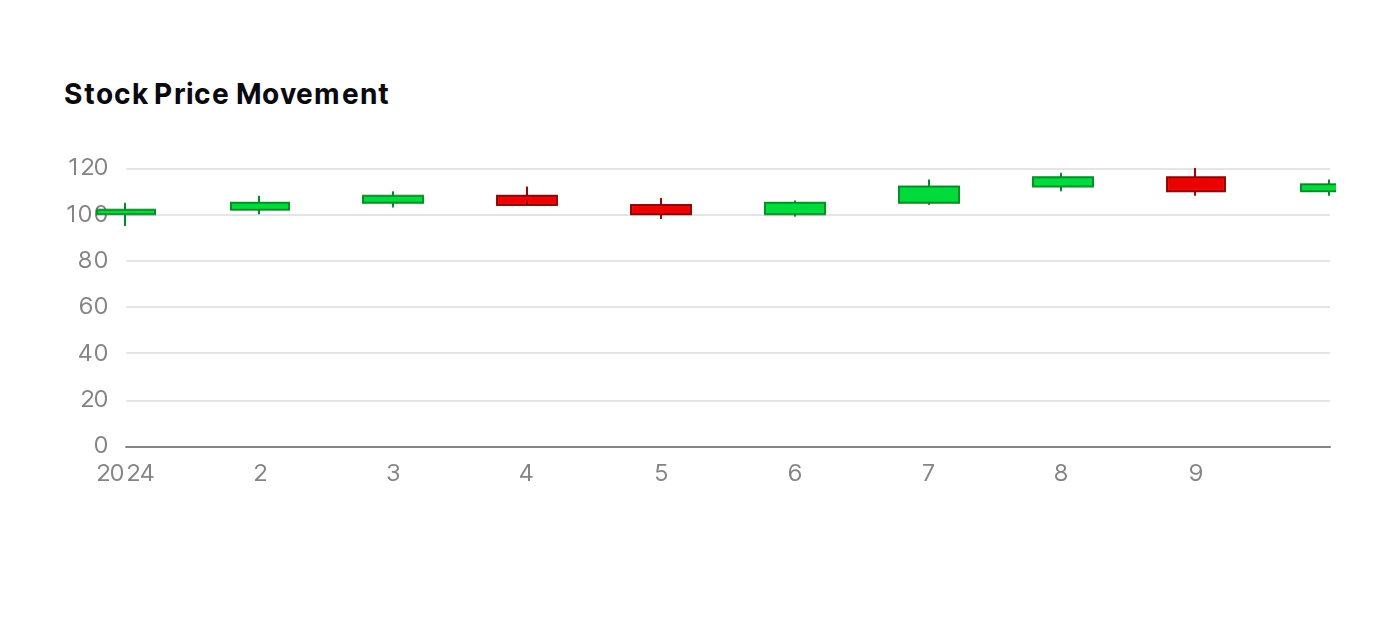
🐛 Fix for overlapping content in PDF exports
Fixed an issue that could cause overlapping content in PDF exports.✨ Percentage labels for pie charts
Addedpct and pct_fmt options for pie charts to display percentage values directly on slice labels.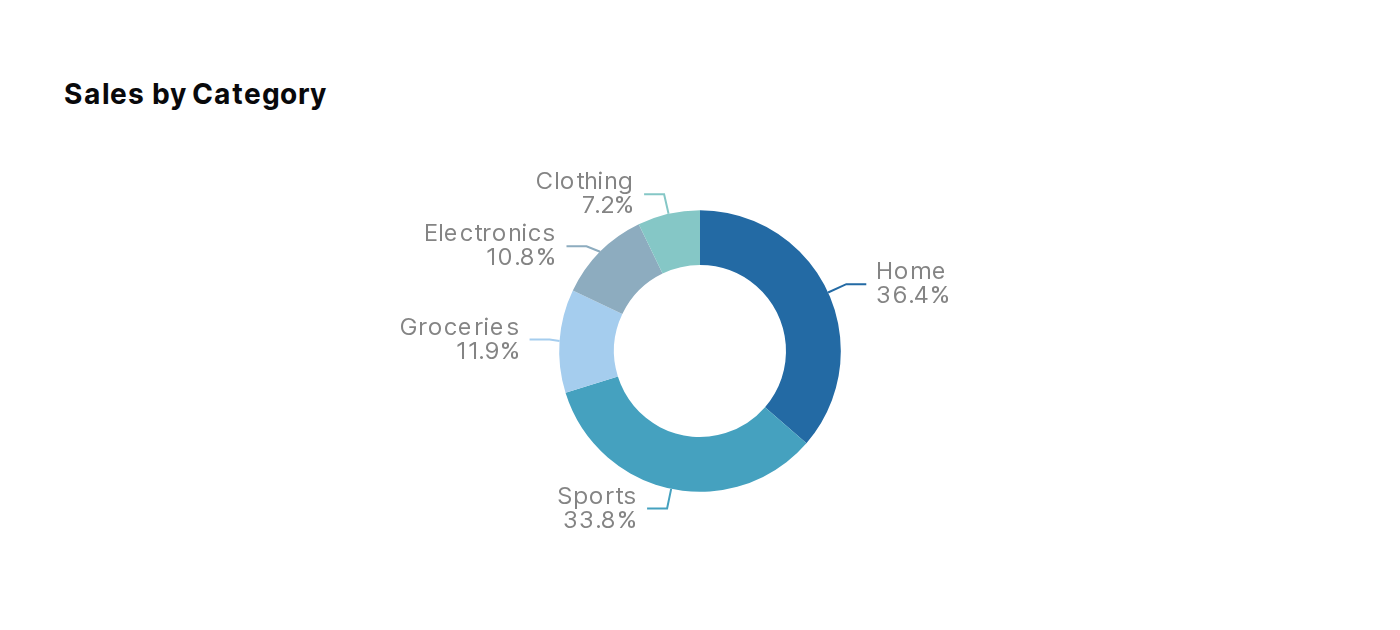
🐛 Fix AI chat generating dropdowns and date range filters
Fixed an issue where AI chat could fail when generating dropdowns or date range filters.✨ Salesforce Connector
Connect your Salesforce CRM data to Evidence. Sync accounts, contacts, opportunities, leads, and campaigns.View Documentation🐛 Fix x_fmt not applying to chart tooltips
Fixed an issue where settingx_fmt on charts would format the axis labels but not the date value shown in the tooltip.🐛 Improved AI chat reliability
Fixed an issue where AI chat could error out during longer conversations.✨ Date Range Support for Input Components
Input components (dropdown, button_group, input_tabs, slider, dimension_grid) now support thedate_range attribute, allowing you to filter options by a specific time period or a range_calendar selection.🐛 Fix dropdown with manual options showing SQL error
Fixed an issue where dropdowns using manual child option tags (nodata attribute) would show an “Unknown table function WHERE” error.✨ Multiplayer editor now in beta
Multiplayer editor is now available in beta. Turn it on from Project Settings to collaborate with your team in real-time.🐛 Graceful redirect when page not found after branch switch or rename
Fixed an issue where switching branches or renaming a page could result in a 404 when the current page doesn’t exist on the target branch or at the old URL.🐛 Fix dimension link navigation resulting in 404
Fixed an issue where clicking dimension links in tables would result in a 404 when navigating between pages, because the URL wasn’t being resolved relative to the current project context.🐛 Automatic chart padding for data labels
Charts now automatically add top padding when data labels are positioned above bars or points, preventing labels from being cut off at the top of the chart.✨ External GitHub branch support and PR preview links
Projects connected to GitHub now show all repository branches in the branch switcher, not just branches created through Evidence Studio. When a pull request is opened or reopened, Evidence automatically posts a preview link comment on the PR.🚀 SQL Console Table Grouping
Tables in the SQL console sidebar are now organized by schema/connection in a collapsible tree structure for easier navigation.✨ Customizable Total Label for Tables
Tables now support atotal_label attribute that allows customizing the text displayed in total/subtotal rows and columns, useful when using non-sum aggregations like avg, min, max, or count.✨ Editor Sidebar
Enhanced editor sidebar, with diff viewer, search, table schema, and page filters.🚀 Pivot Table Performance
Significant performance improvements for pivoted tables and increased row/column limits.🐛 Fix dropdowns closing modals
Fixed an issue where clicking on dropdown menus inside a modal would cause the modal to close unexpectedly.✨ Gradient fill for area charts
Area charts now support a gradient fill option that fades from the series color at the top to transparent at the bottom. Enable it witharea_options={ gradient=true }.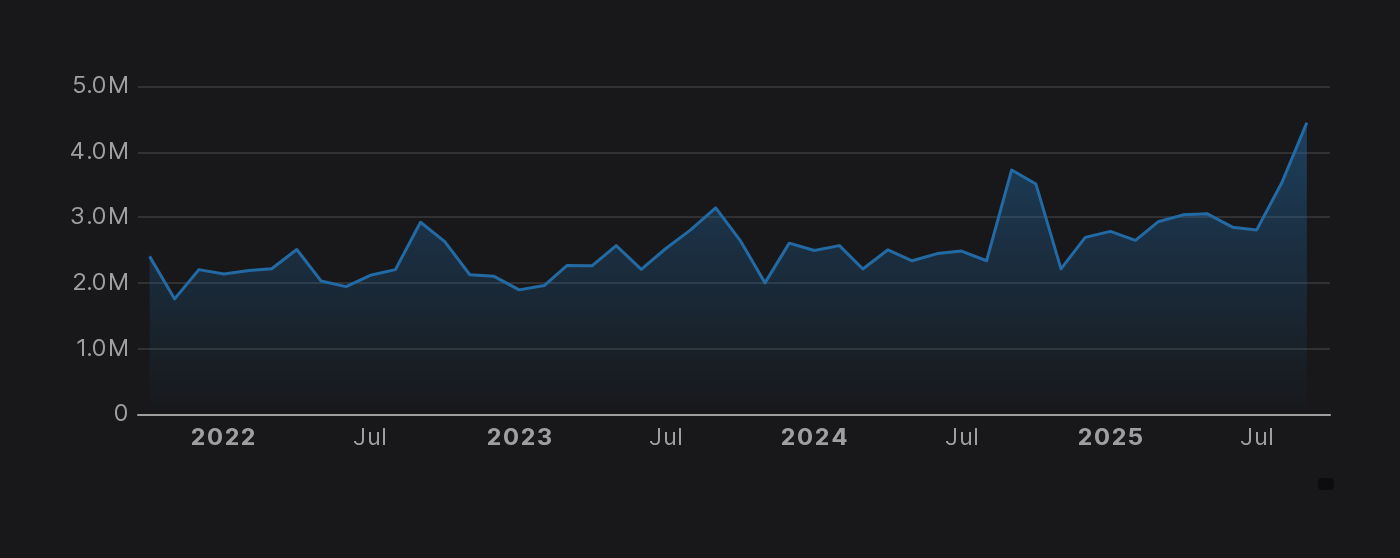
✨ Clock Component
Display a live clock with running seconds and the current date using{% clock /%}. Supports 12h/24h format, monospace font variant, and left/right alignment.✨ Branching
Work on multiple versions of your reports at the same time. Create and switch between branches, commit your work, and publish when you’re ready.✨ Heat Grid
Visualize metrics across categories with color-coded cells based on configurable thresholds. Cells are colored red, yellow, or green depending on where values fall relative to your thresholds, with an optionallower_is_better mode.🚀 Model Engine and Primary Key Settings
The model edit page now includes configurable refresh schedules, table engine selection, and primary key configuration with helpful tooltips explaining each engine type, data locations, and nullable primary key handling.View Documentation✨ Progress Bars
Display progress toward goals with horizontal bars showing numerator/denominator ratios. Supports threshold-based coloring and custom color gradients.✨ PDF Export Options
PDF export now supports custom orientation, margins, and card styling options.✨ Datadog Connector
Connect your Datadog monitoring and analytics data to Evidence. Sync metrics, dashboards, monitors, hosts, and usage data from your Datadog account.View Documentation✨ Custom Title for Table Filter
Customize the Table Filter button text using the newtitle attribute.✨ Table Repeat Dimension Values
Tables and dimensions now support arepeat_values attribute that forces dimension values to display on every row instead of being collapsed.🚀 Improved code editor font
The code editor now uses Geist Mono, a modern monospace font designed for better readability and aesthetics.✨ Custom AI Instructions
Configure custom instructions for the AI assistant in Settings > AI Agent.✨ RDS PostgreSQL Connector
Connect your RDS PostgreSQL database to Evidence and sync your data automatically.View Documentation🚀 PostgreSQL TLS Requirement Documentation
Added documentation note for PostgreSQL and Azure PostgreSQL connectors specifying that TLS/SSL must be enabled on the database for secure connections.✨ Collapsible Tables
Tables with subtotals can now be collapsed. Click subtotal rows to expand or collapse their children.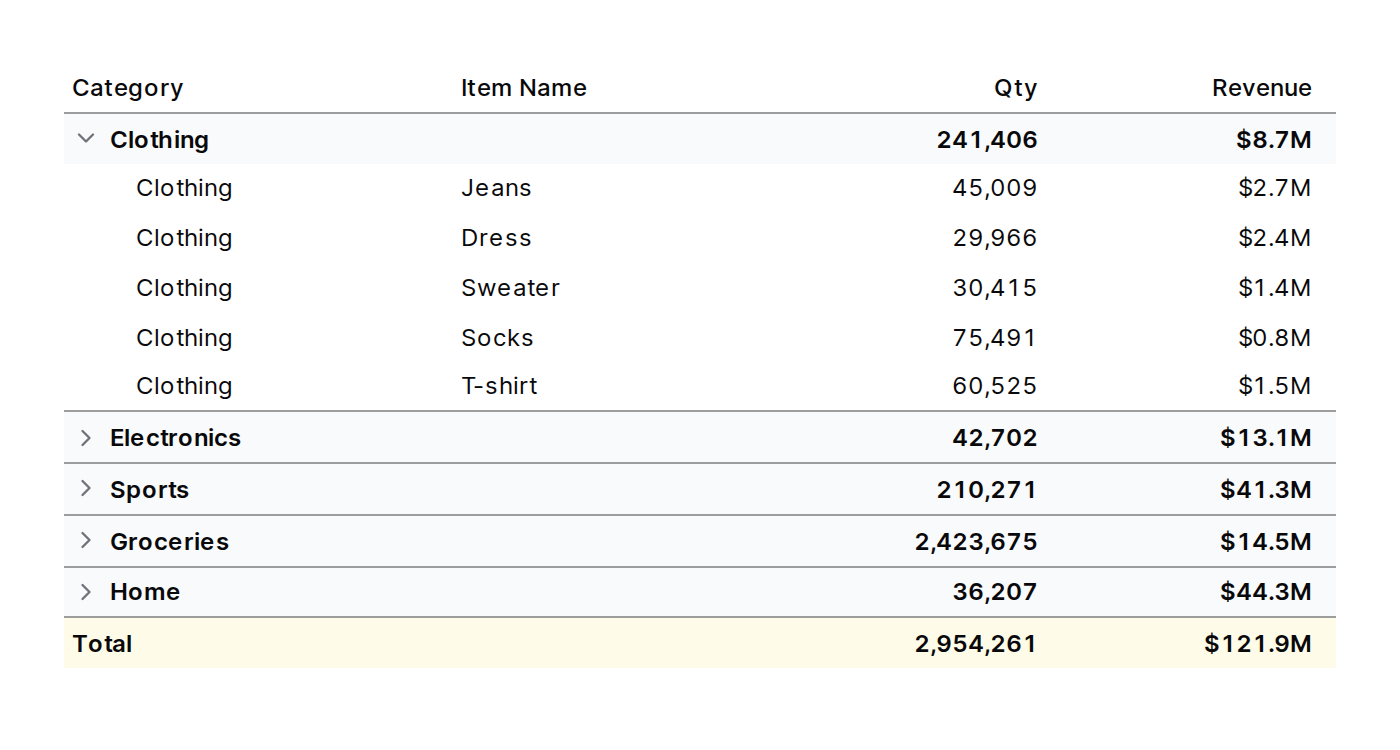
🐛 Fixed row link chevron styling for total and subtotal rows
Fixed chevron column styling in tables with row links to match total/subtotal row backgrounds.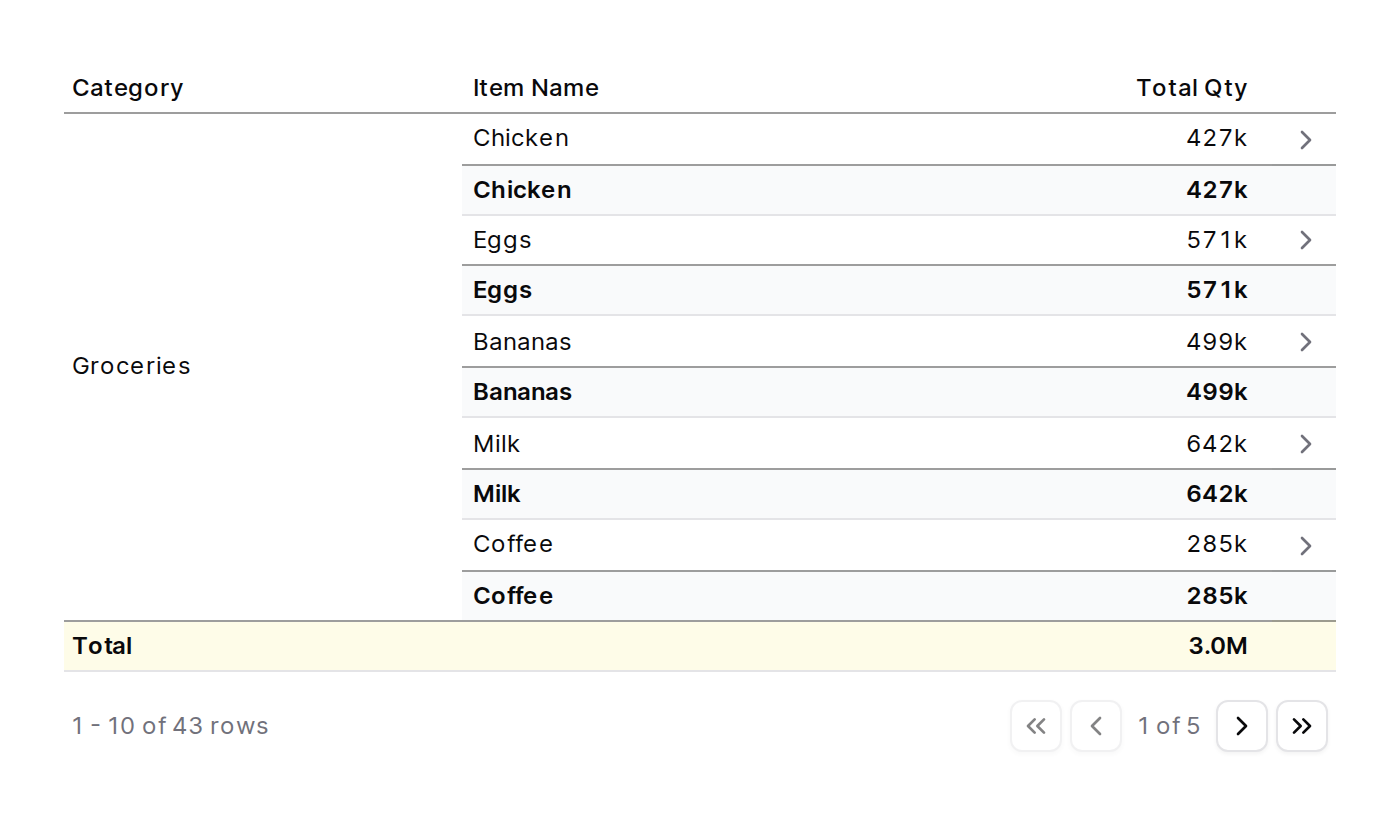
✨ Total and Subtotal Position
Control where totals and subtotals appear withtotal_position and subtotal_position. Set to “top” or “bottom”.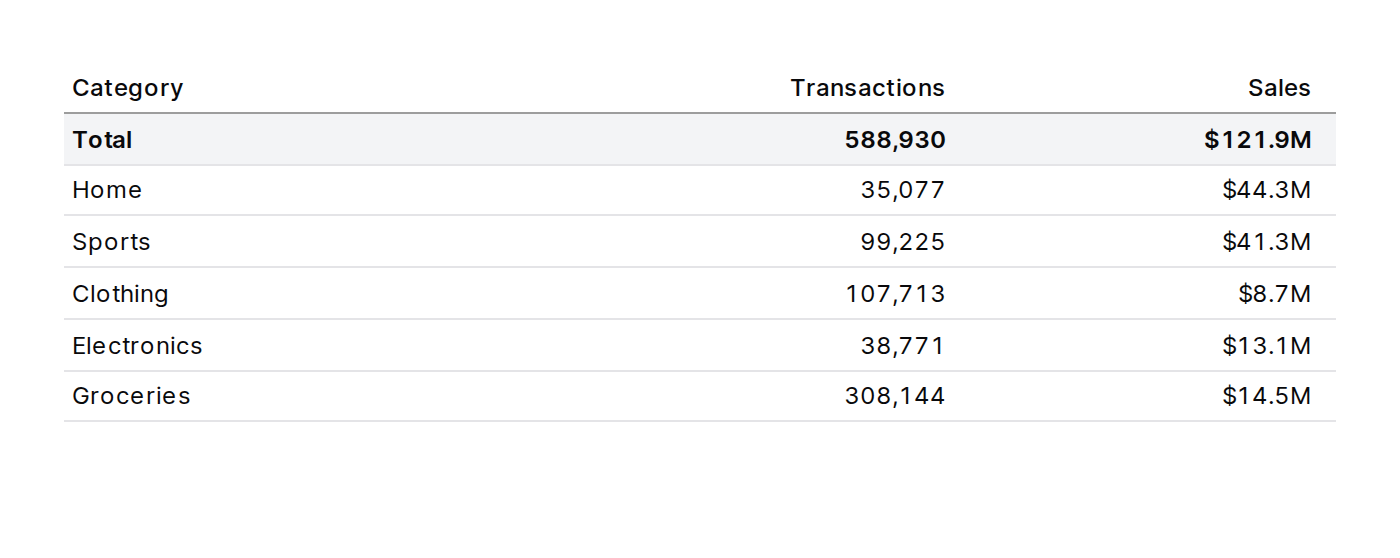
🚀 Table Filter Initial Values and Required Selections
Table filters now supportinitial_values to set default filter values when the page loads, and require_selection to prevent specific filters from being cleared.🚀 Automatic Unit Formatting for Numbers
BigValue, Value, and Table components now auto-format large numbers with compact units (e.g., 1,234,567)✨ Text Size Option for Big Value
Thebig_value component now supports a text_size attribute with predefined options (sm, base, lg, xl, 2xl, 3xl, 4xl, 5xl) for reliable text sizing.🚀 Clear Table Sorting with Third Click
Click a column header a third time to clear sorting and return to the original order.View Documentation✨ Azure SQL Database Connector
Sync data from Azure SQL Database directly into Evidence.View Documentation✨ Logo Attribute for Table Dimensions
Display company logos in table dimension columns. The newlogo attribute accepts a column containing domains to look up logos, and logo_options lets you customize size, grayscale mode, and label visibility.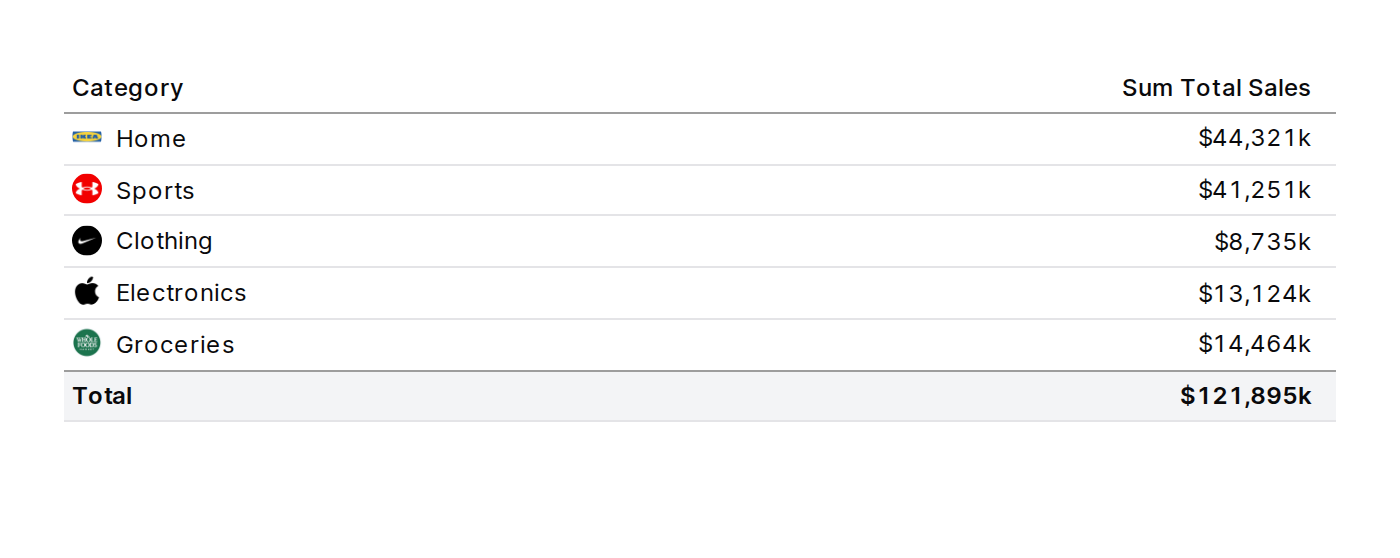
✨ PDF Export for Viewers
Viewers can now download published pages as PDFs using the page menu or the keyboard shortcut (Cmd/Ctrl+P).✨ Twilio Connector
Connect your Twilio data to Evidence. Sync calls, messages, accounts, and usage records.View Documentation🚀 BigQuery 1 Minute Incremental Syncs
BigQuery data connector now supports 1 minute incremental syncs for faster data freshness.View Documentation✨ Column Groups in Tables
Group related columns under shared headers using the newcolumn_group attribute on measures and dimensions. Useful for organizing metrics by category, such as revenue metrics vs volume metrics.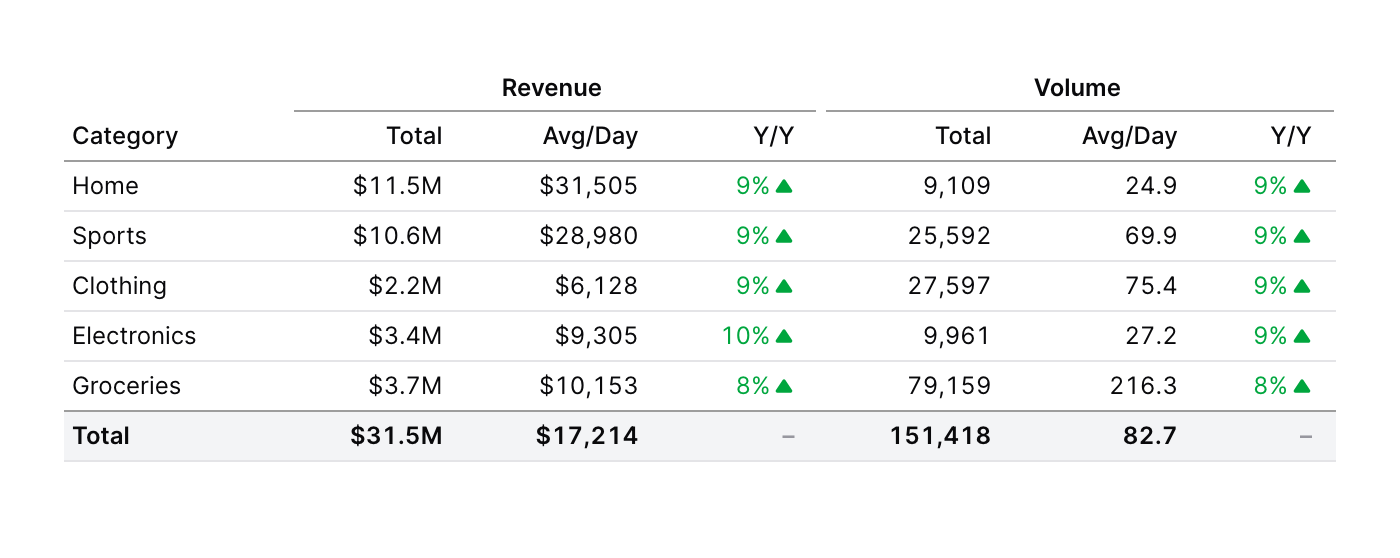
🐛 Dark Mode Empty Circle Markers Fix
Fixed emptyCircle markers in charts to properly use the background color in dark mode instead of white.✨ Google Ads & Facebook Ads Connectors
Connect your Google Ads and Facebook Ads data to Evidence. Sync campaigns, ad groups, ads, and performance metrics to build marketing analytics dashboards.View Documentation🐛 Horizontal Bar Chart Sorting Fix
Horizontal bar charts now default to sorting by value descending, showing the largest values at the top instead of the bottom.✨ Logo Component
New logo component to display company logos using logo.dev. Supports light/dark theme switching, configurable sizes, and grayscale mode.✨ PostHog Connector
Connect your PostHog product analytics data to Evidence. Sync events, persons, cohorts, feature flags, insights, and more from your PostHog account.View Documentation🚀 Snowflake 1 Minute Incremental Syncs
Snowflake data connector now supports 1 minute incremental syncs for faster data freshness.View Documentation✨ Dimension Grid
Newdimension_grid component for interactive multi-dimensional filtering.🐛 Fix for frozen columns row shading
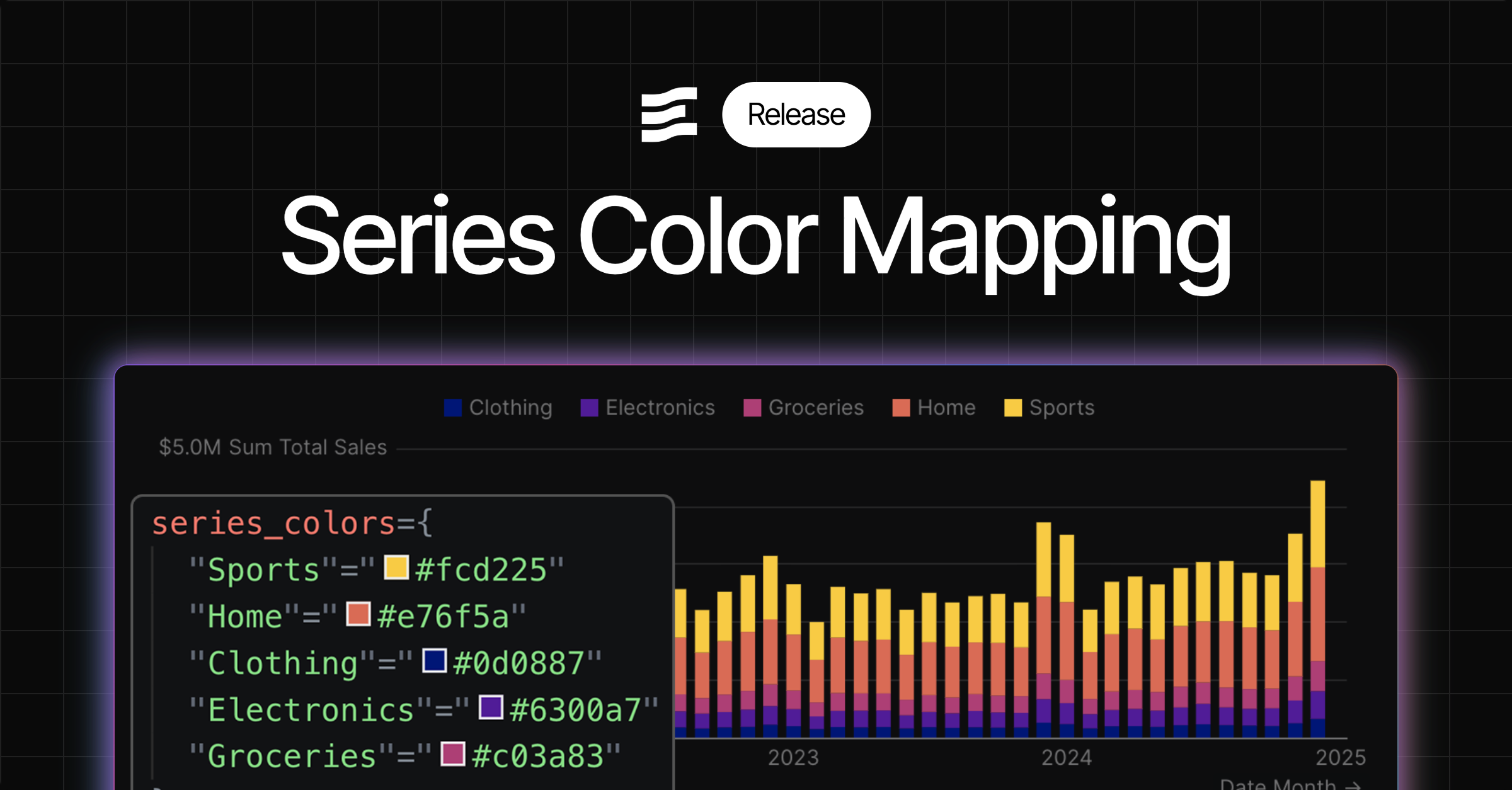
Frozen columns in tables now display the correct alternating row shading whenrow_shading=true is enabled. Previously, frozen columns would not show the shading because they had a solid background that overrode the row-level shading.✨ Series colors for pie charts
Map specific category values to specific colors in pie charts using theseries_colors option in chart_options. This ensures consistent, meaningful coloring regardless of which categories are present in the data.🐛 Export Data Retains Filters
Table exports now correctly include filtered and sorted data, matching the visual display on screen.🐛 PDF Export Now Retains Filters
When downloading a PDF, any selected filter values are now preserved in the exported PDF.🚀 Adjusted Developer Role Privileges
Previously, developers and admins could manage users, groups and customers. This is now restricted to Admins only.✨ Motherduck Connector Schema Support
You can now use schema with the Motherduck connector🐛 Dropdown Component Now Supports ‘where’ Attribute
Thedropdown component now supports the where attribute for filtering dropdown options with custom SQL WHERE conditions, bringing it to feature parity with other filter components like button_group and input_tabs.🐛 Horizontal Bar Chart X-Axis Formatting
Fixed issue where thex_fmt parameter was not being applied to axis labels in horizontal bar charts. Formatting now works consistently for both axis labels and tooltips.✨ Github Data Connector
Sync data about your Github repos directly into Evidence.✨ Deltalake (S3) Connector
Connect using your S3 with Delta Lake format your data remains at rest in your S3 bucket.✨ Smooth Line Option
Newsmooth attribute inside line options lets you create a line with rounded corners View Documentation
✨ Chart height attribute
Control the height of your charts using the height attributeView Documentation✨ Customer Groups
Create customers, and invite customer users to view reports that you choose. View Documentation
🚀 Improved Excel Export
Excel exports now use component titles to create tab names, and exclude logic and filter components✨ User Variables
Access the user’s name, email and organization using variables in markdown.View Documentation✨ Themes
Set color themes at the organization, project, and page level - including background, chart, and card colorsAccess theme settings in page settings, project settings, or org settings. You can override theme colors at each level (e.g., project can override org theme, page overrides project and org themes)🚀 Improved Translation Validation Errors
Incorrect structures for translation maps will provide useful errors🚀 Translations Editor
Modify translations with a fully featured text editor✨ Translation Management
Define variables with different translations for multi-language apps. View Documentation
✨ Standalone Horizontal Bar Chart Component
New dedicatedhorizontal_bar_chart component makes it easier to create horizontal bar chartsWe recommend migrating any existing horizontal bar charts to this new componentView Documentation✨ Display control for total and subtotals in table
Choose which totals or subtotals to display in your tableView Documentation✨ Dark Mode Chart Colors
Configure colors for both light and dark mode in your project and org settings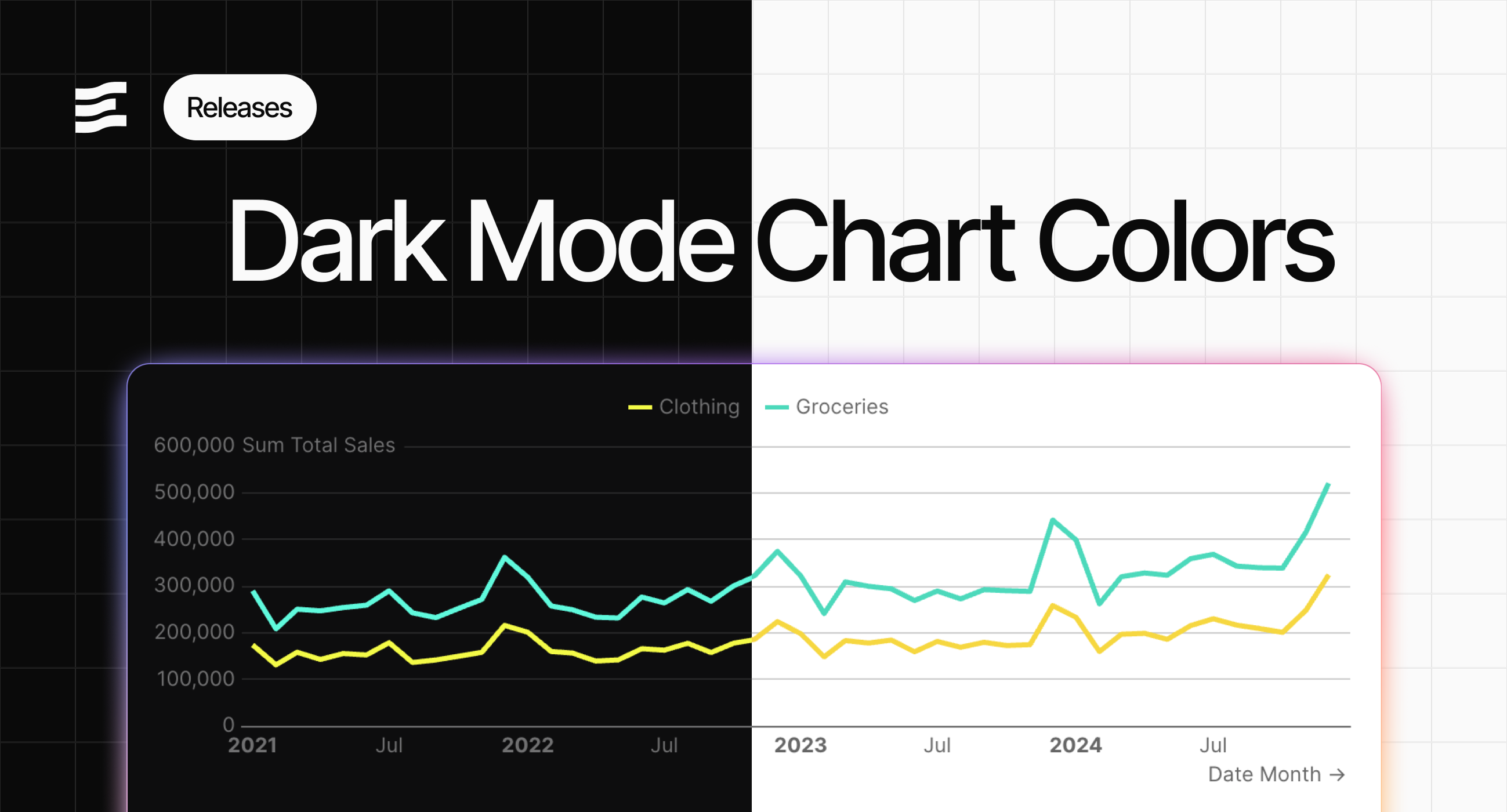
✨ Input tabs full_width and align attributes
Input tabs now allows the same styling configuration as the Tabs component, including full width and right alignView Documentation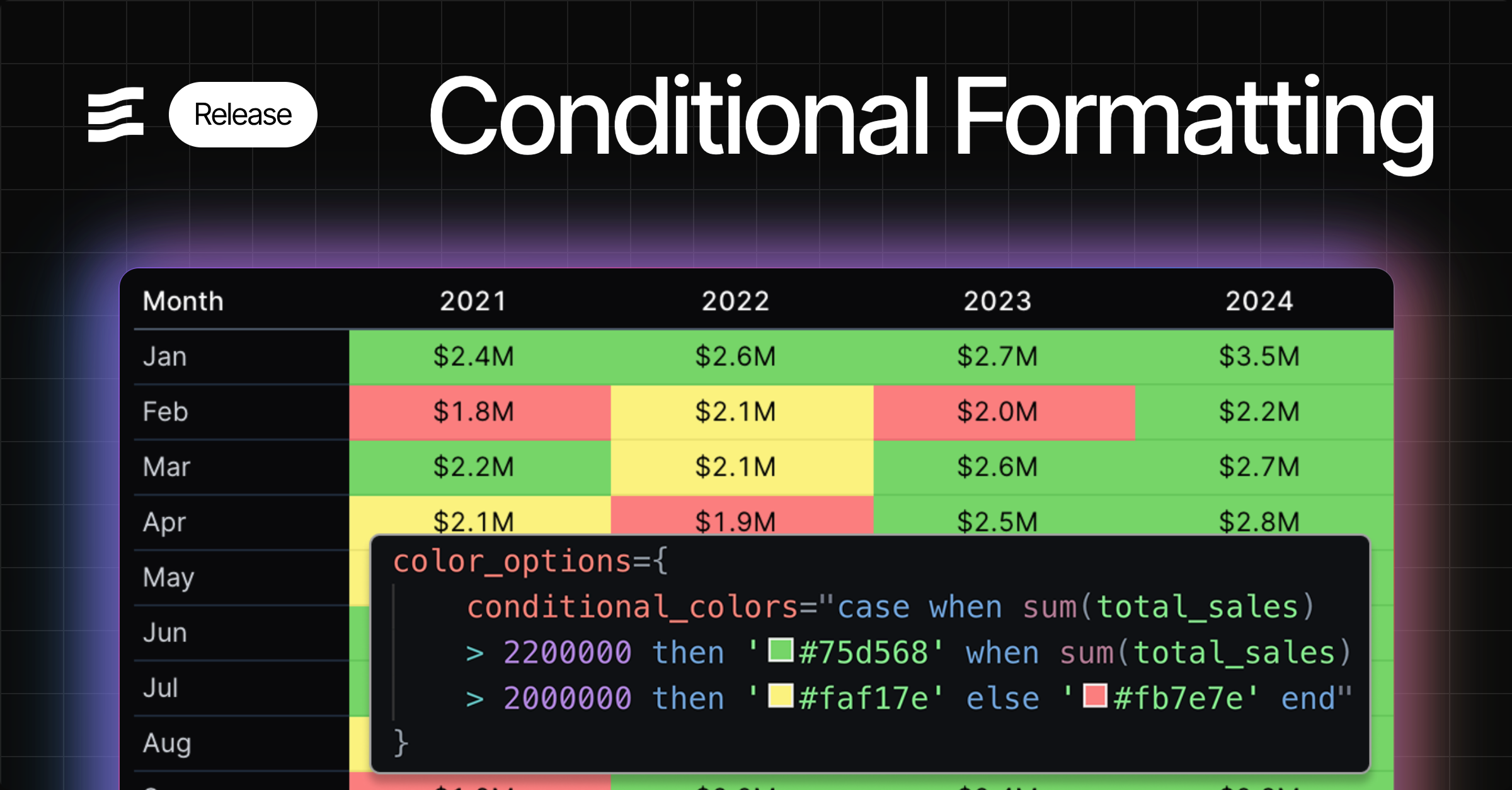
🚀 Assign access to pending users
You can now grant project and page access to users who have not yet accepted invitations to join the Evidence organization.🚀 Control order of series in combo chart
Combo chart now displays your series in the order you define them in your markdown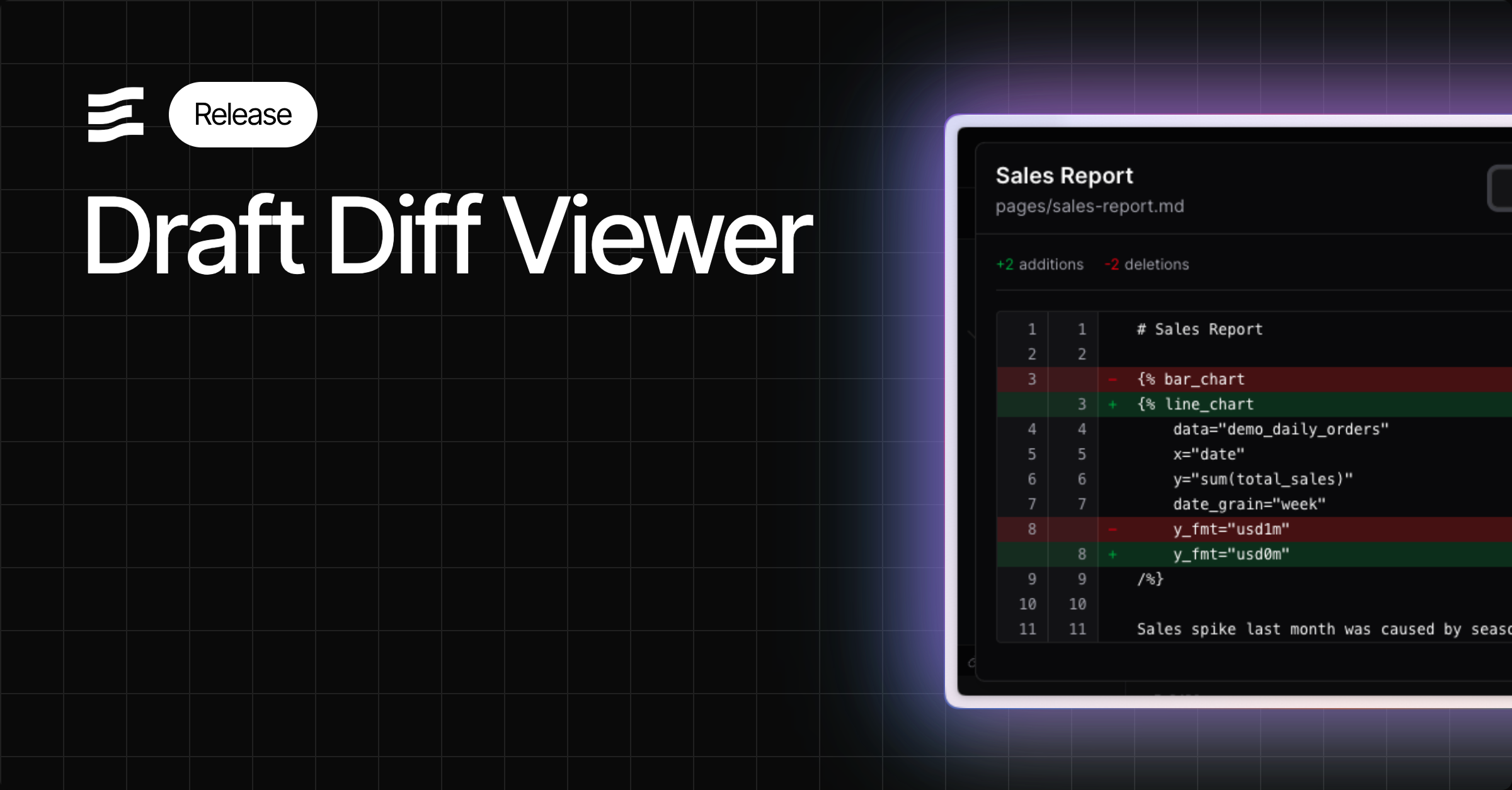
🚀 Icons in Autocomplete
Find components more easily in component autocomplete menus using the mini-icons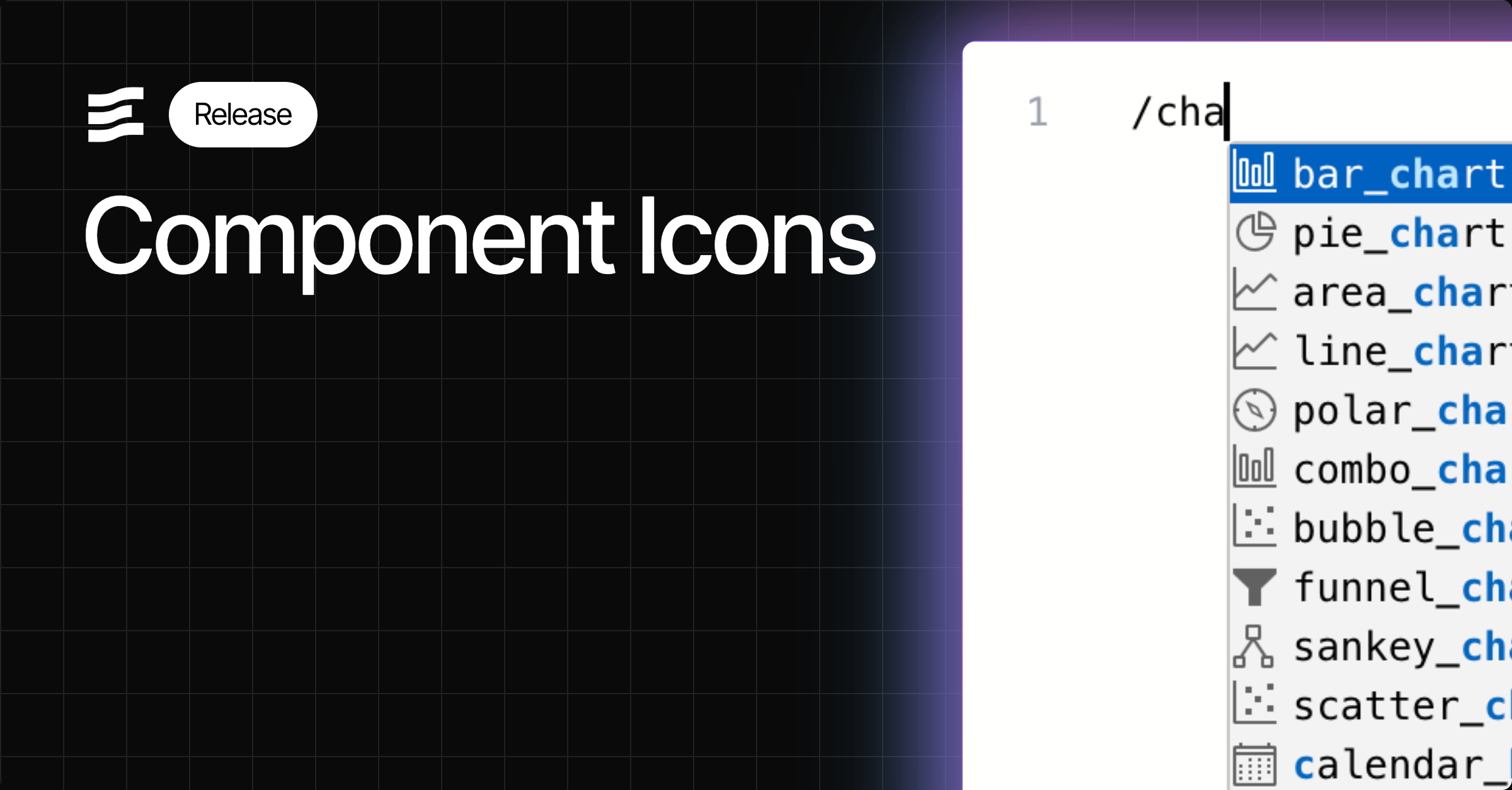
🚀 Smoother chart loads on input changes
Improved chart loading behaviour and animation when changing inputs on your page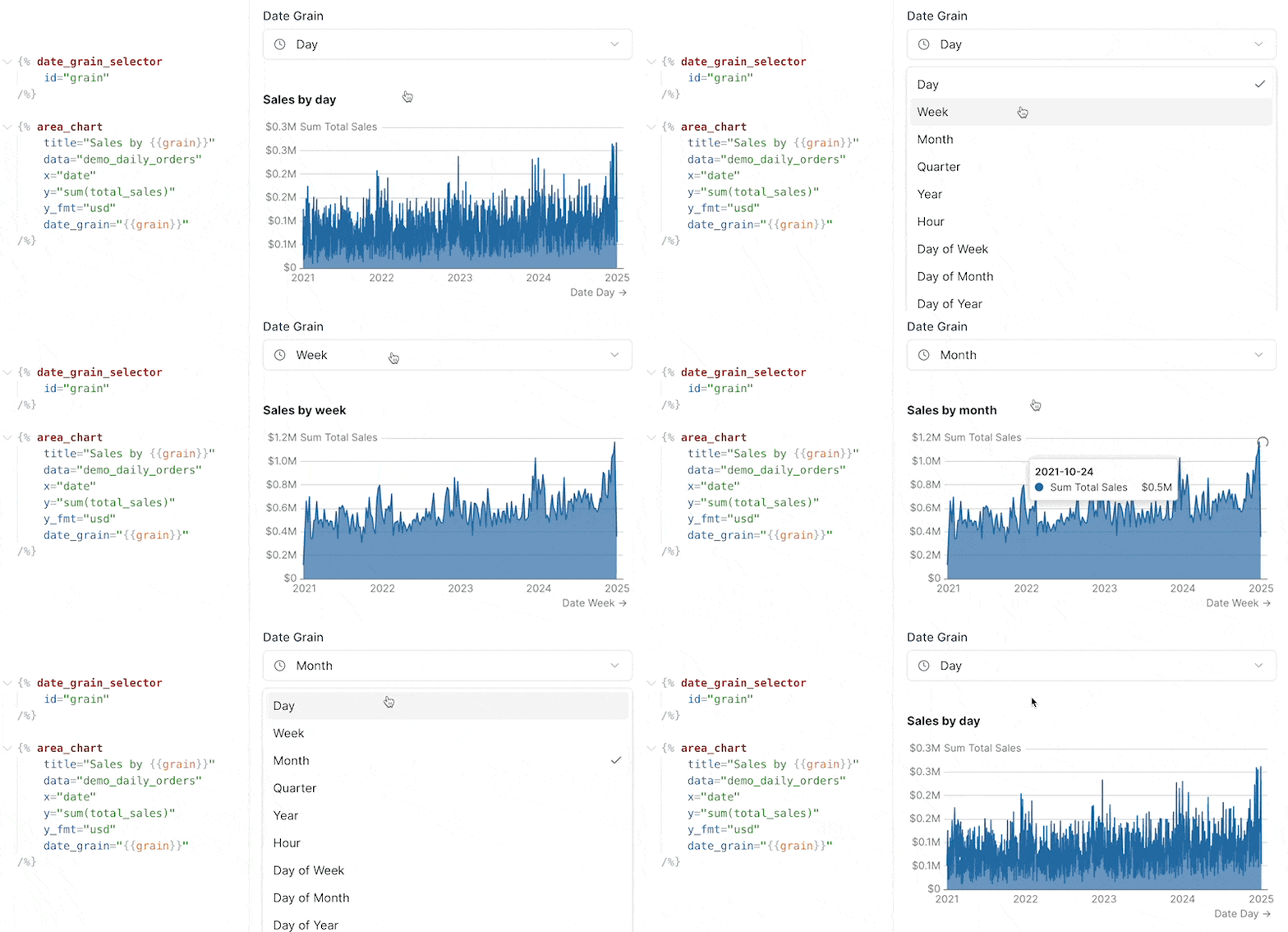
🐛 Fix for table pivoting issues
Fixed issue where tables were not pivoting in certain situations✨ fmt property for input options
Use dynamic formats in viz components when creating an input to select a metric - e.g., show ‘usd’ for sales or ‘pct1’ for growthView Documentation✨ Variable label property
You can now reference the label property of a variable - useful when adding labels to viz components based on input selectionView Documentation🐛 Fix for custom date range end dates
Fixes issue where custom end date defined in SQL was not taking effect🐛 Fix for scale_column
Fixes issue where scale_column in the measure component was not properly assigning colors🚀 Improved handling of date grains in charts
Automatically handles formatting and positioning of labels on x-axis for date grains including month of year and day of week✨ Table of Contents
A generated table of contents from the headings in your report. Enable from page settings.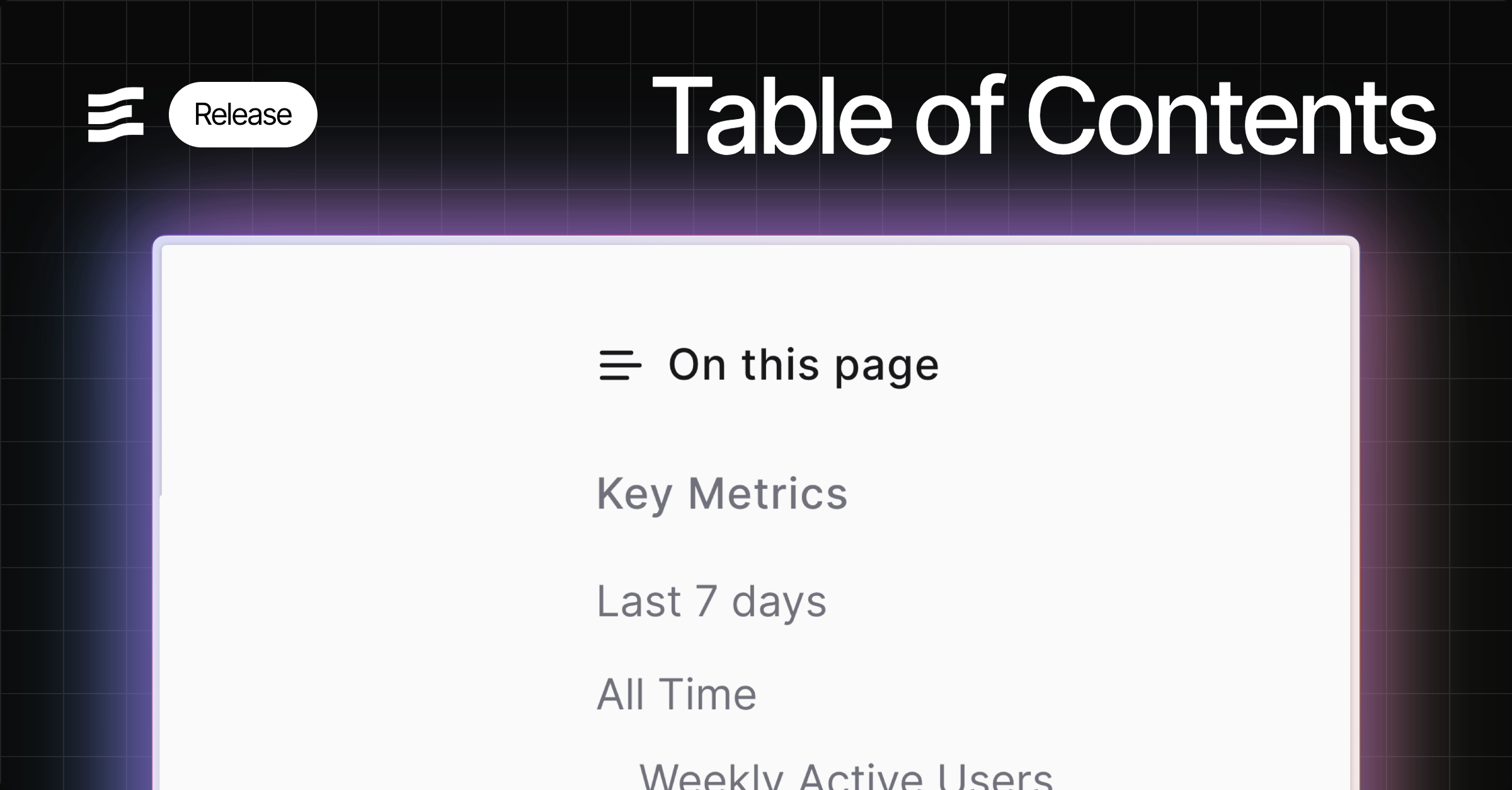
✨ Top padding option for charts
Top padding override option to allow more room for data labels - helps in cases where labels are cut off✨ x_sort attribute
Choose a specific sort order for your x-axis, including specifying explicit strings🐛 Histogram support for inline queries
Fix for Histogram issue where it could not accept inline queries🚀 Toggle invert attribute
Invert attribute added to make toggled state = false instead of true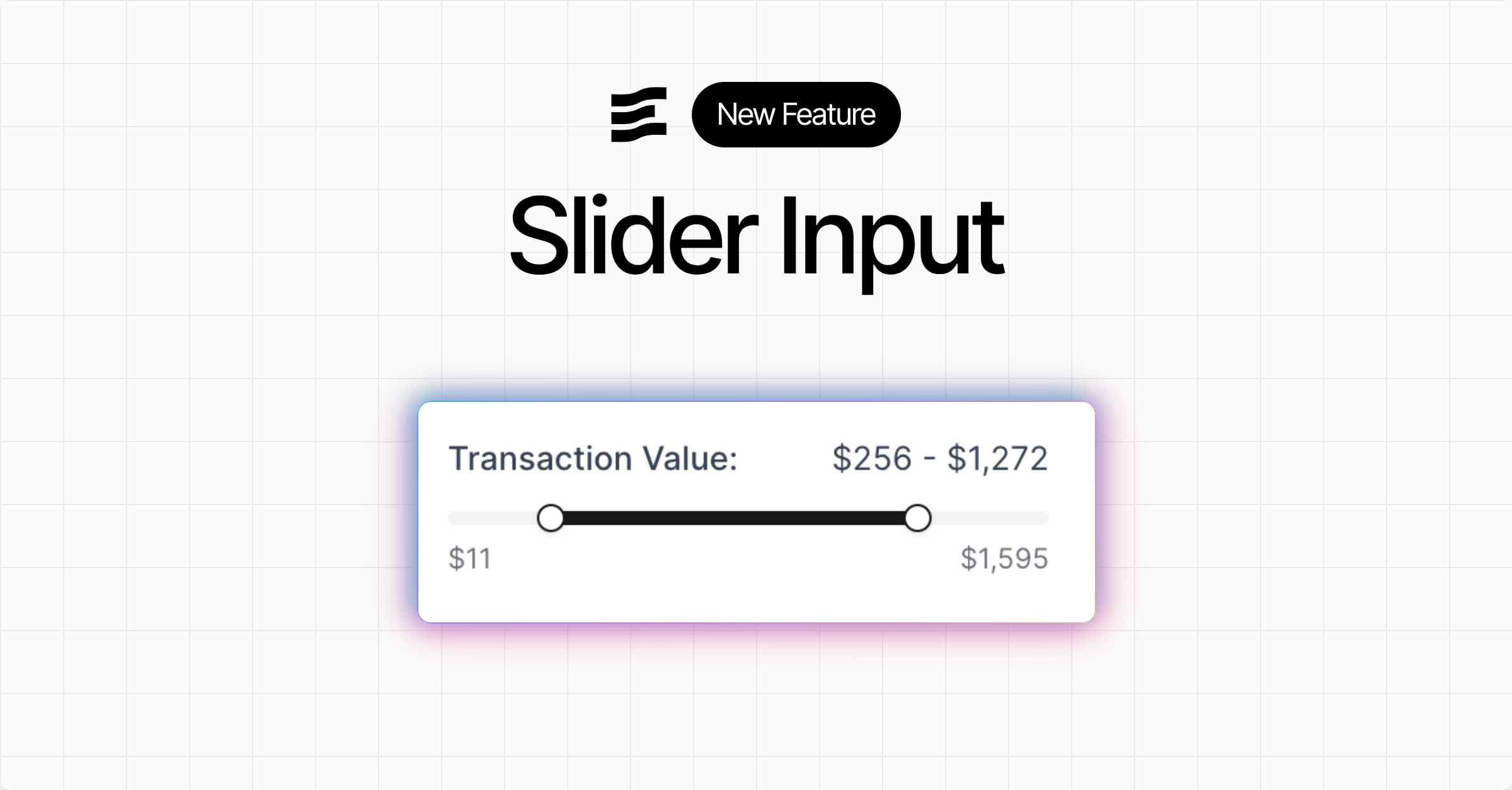
✨ Query timing metadata
Queries in the SQL Console, and the pop out component inspector at the bottom of the editor now display how long the query took to run in the Evidence query engine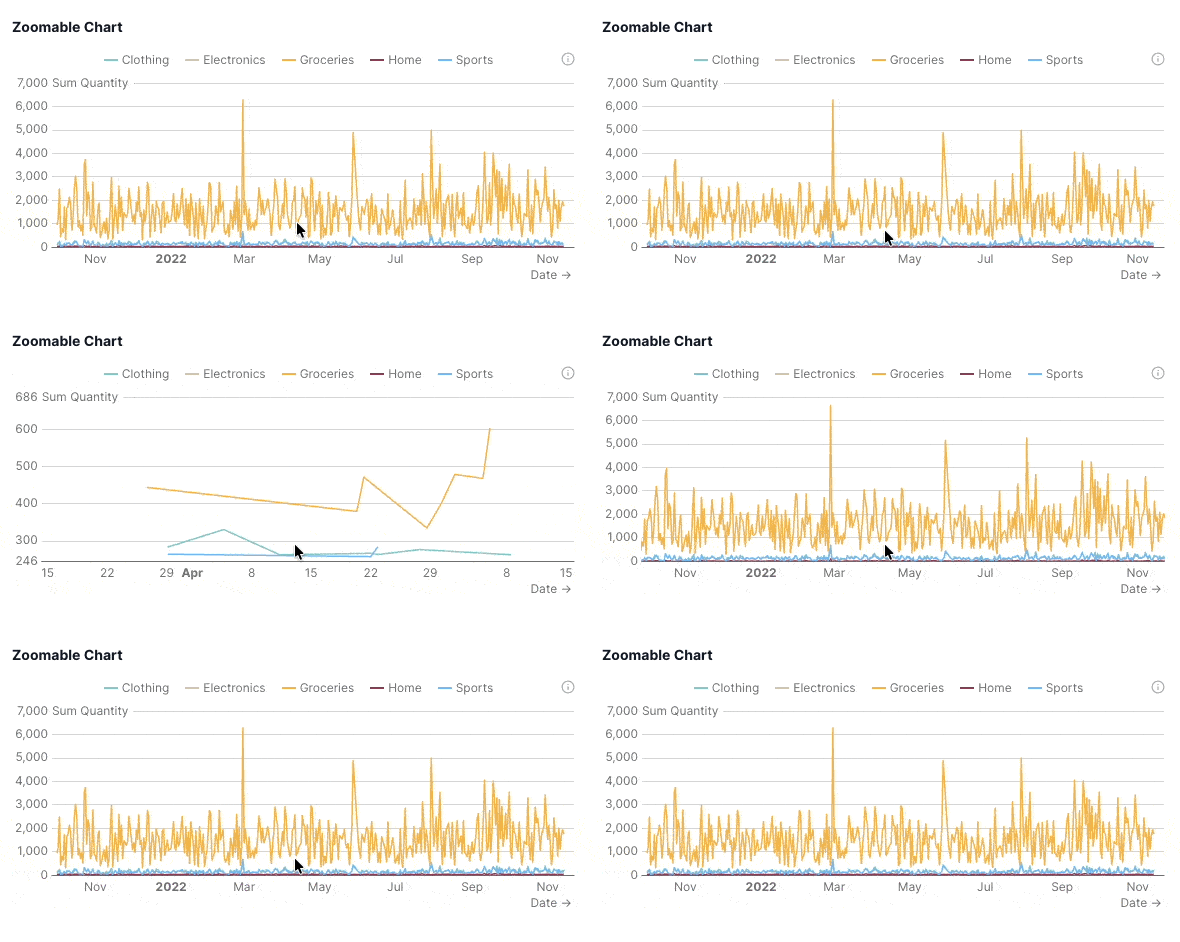
✨ Toggle input
New toggle input component which sets a boolean variable you can use in queries and components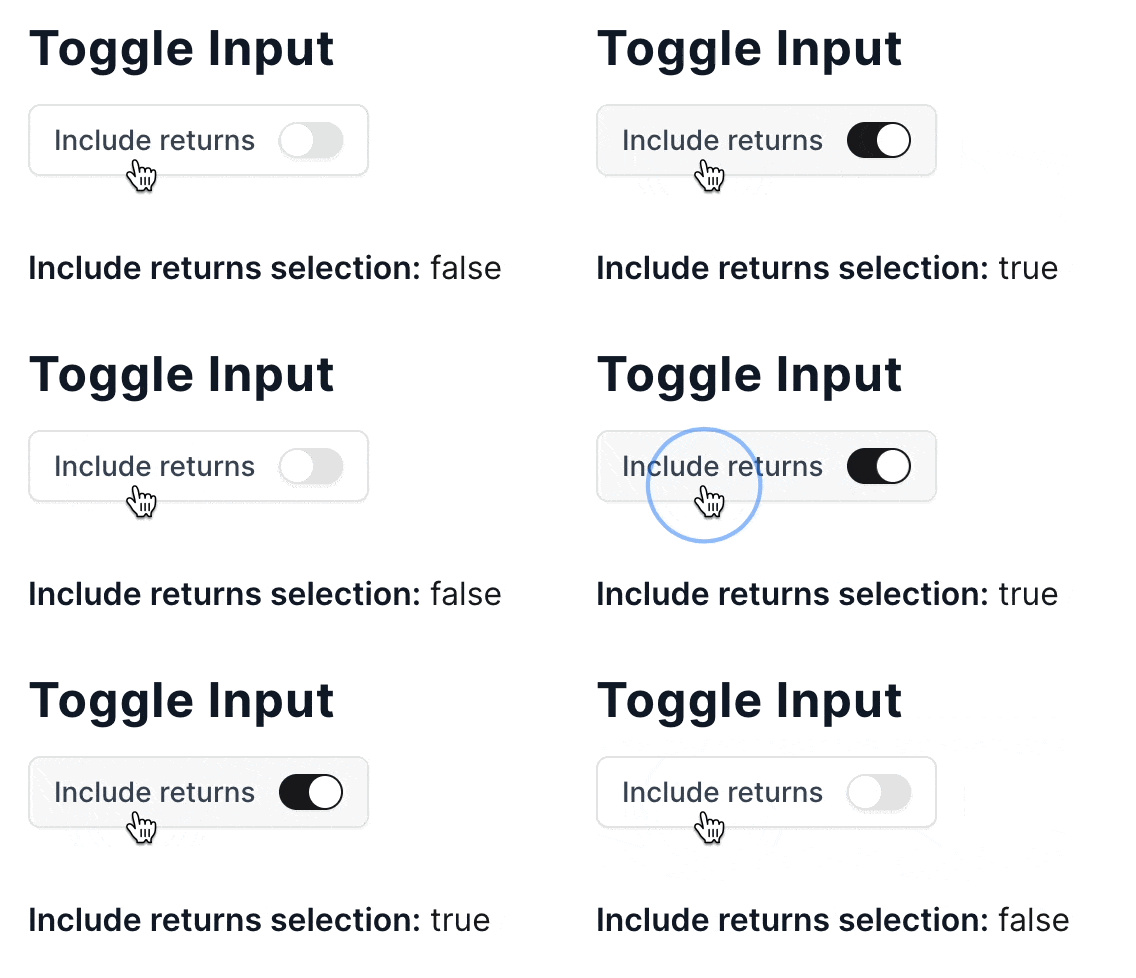
✨ Button group and input tabs
New input components as visual alternatives to dropdowns:button_group and input_tabsNote that this update also deprecates the dropdown_option component in favour of the more general option component. The option component can be used inside dropdown, button_group, or input_tabs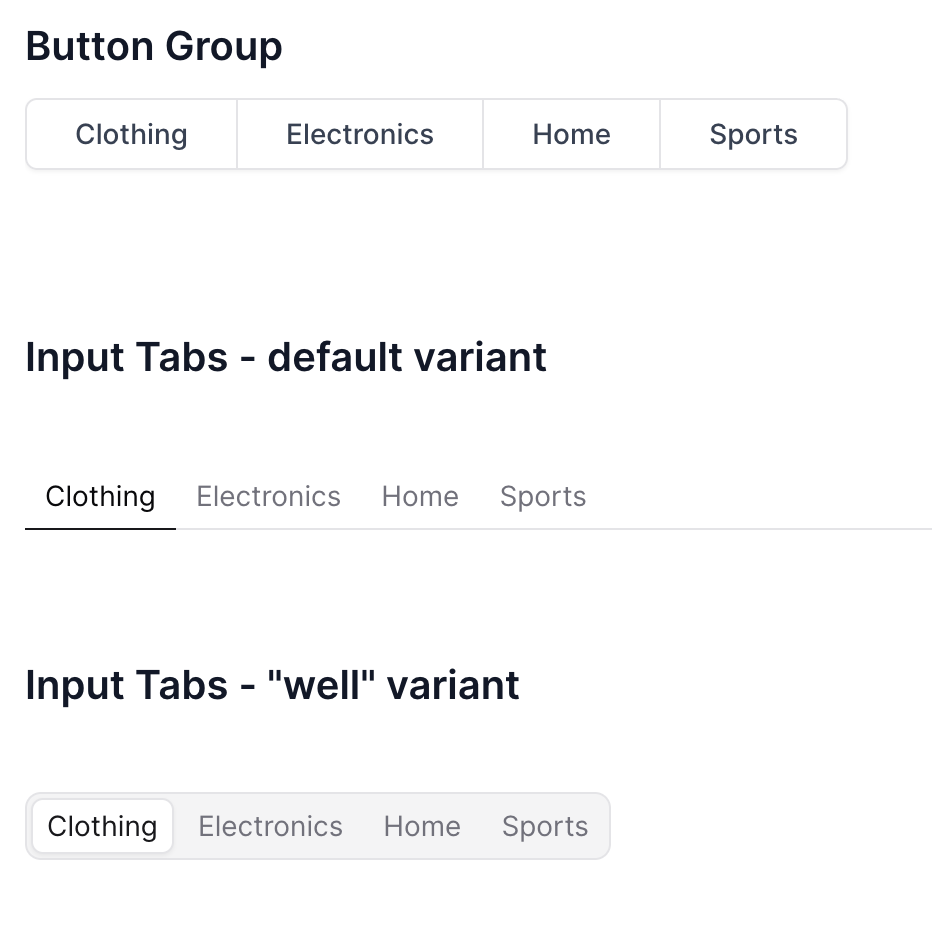
🚀 Info Links
Add links to info text popovers usinginfo_link and info_link_title atttributes.🚀 User Management Performance
Adding and removing users from reports is now faster🐛 Fix for custom pivot formatting
Formatting for pivots now works as expected for custom date formats - e.g.,fmt="yyyy-mm"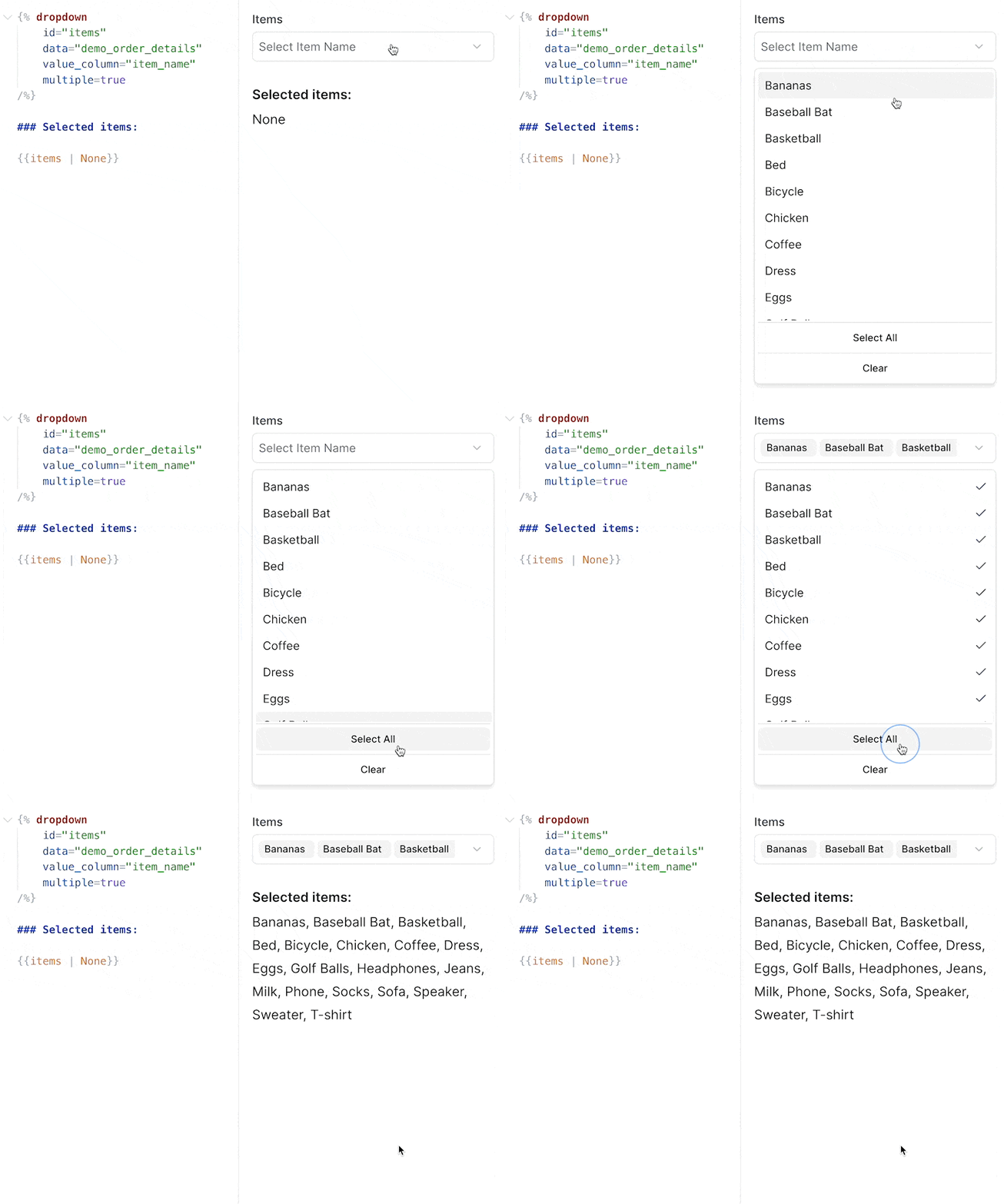
✨ Feature Requests
Submit and track feature requests directly in your settings menuFrom Settings > Feature Requests, you can create requests or bug reports, and set their priority. This integrates directly with the Evidence team’s roadmap, with status changes synced into your view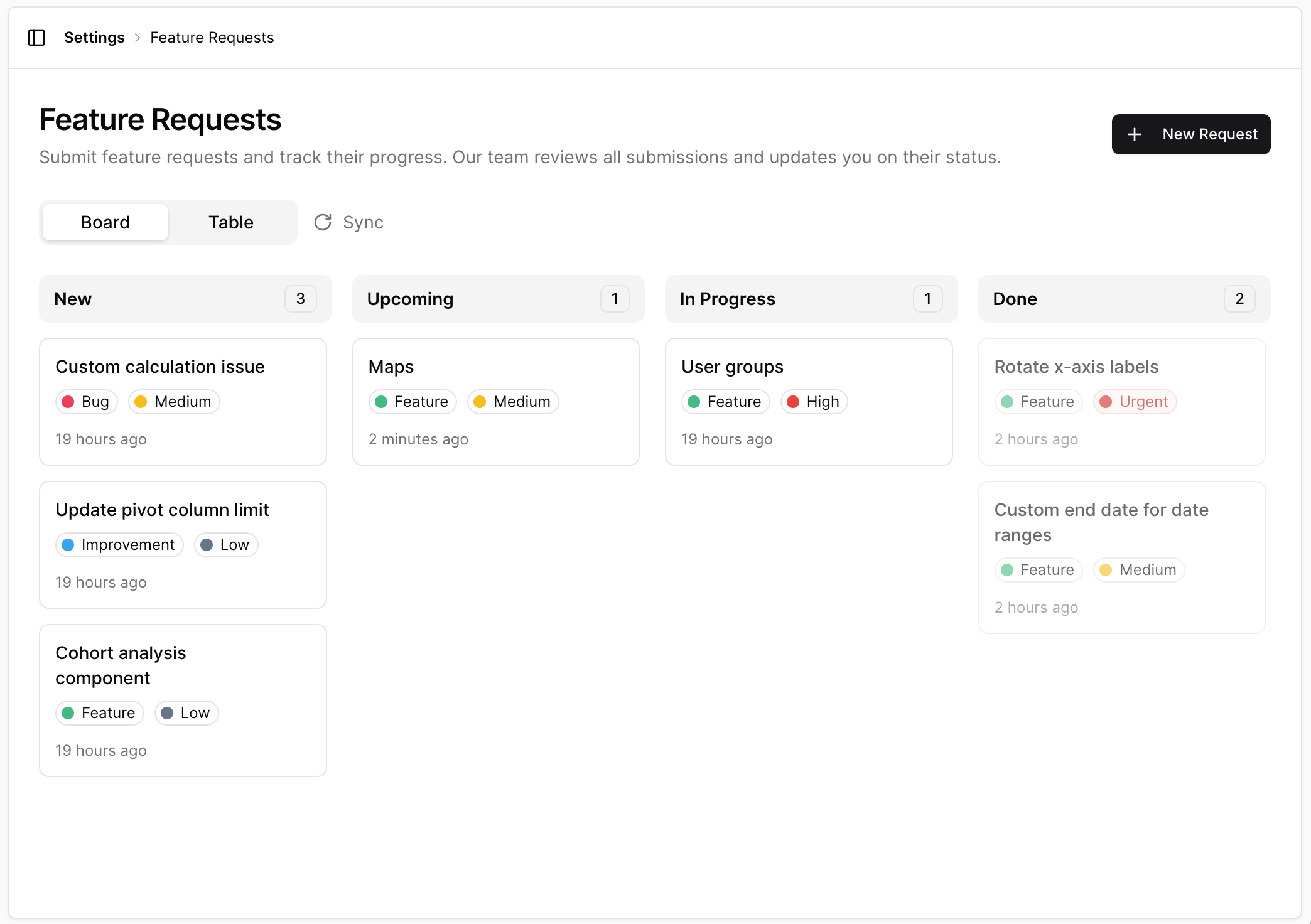
✨ Stacked bar series in combo charts
Bar series in combo charts can now be stacked using the newstack_id attribute. Bars with the same stack_id will be stacked together, allowing for flexible combinations of stacked and grouped bars.View Documentation✨ Max label length for x-axis labels
Truncate labels after a certain number of characters using themax_label_length attribute inside x_axis_options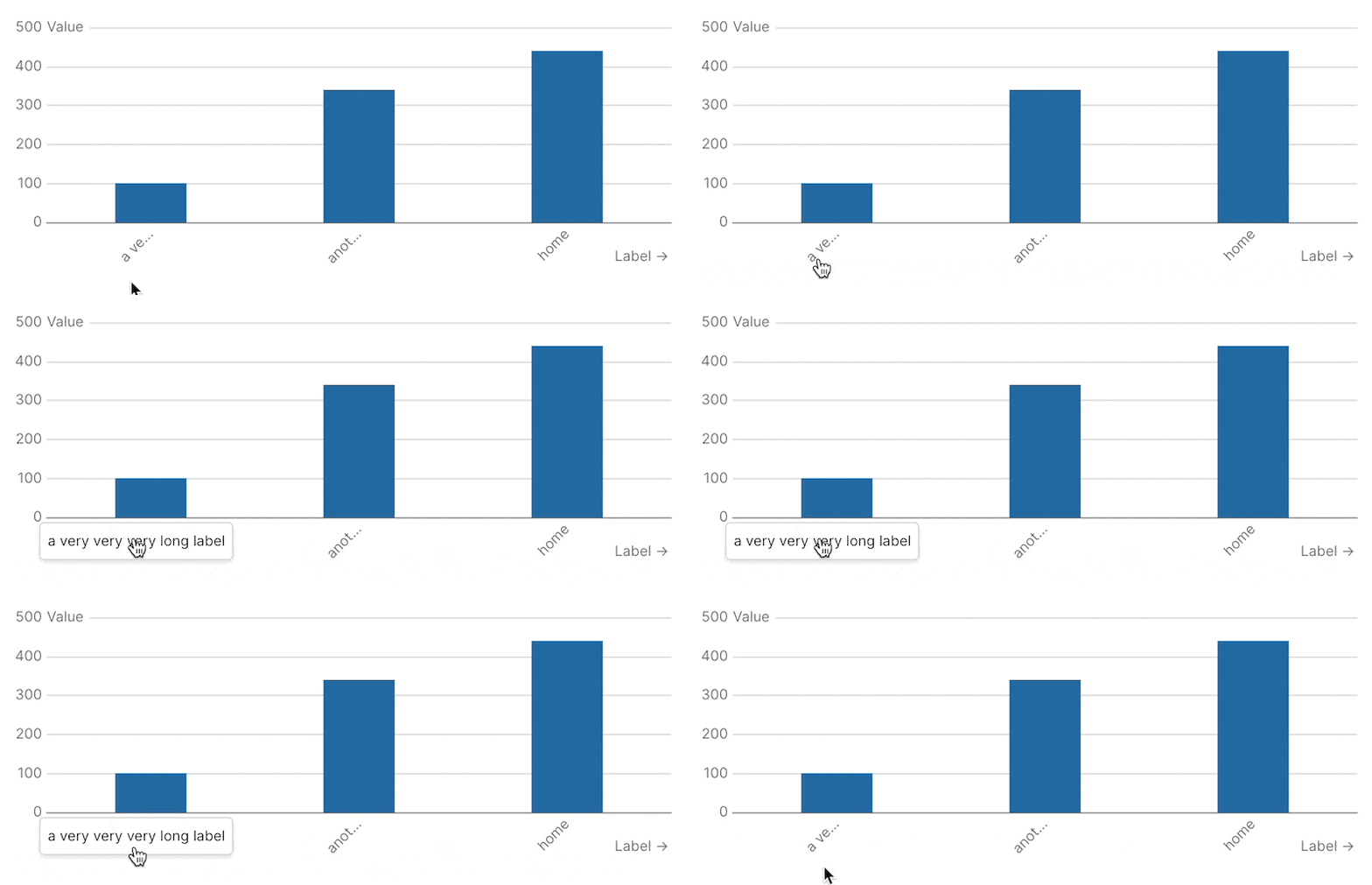
✨ Rotate x-axis labels
Use the newlabel_rotate option in x_axis_options to rotate the labels on your x-axis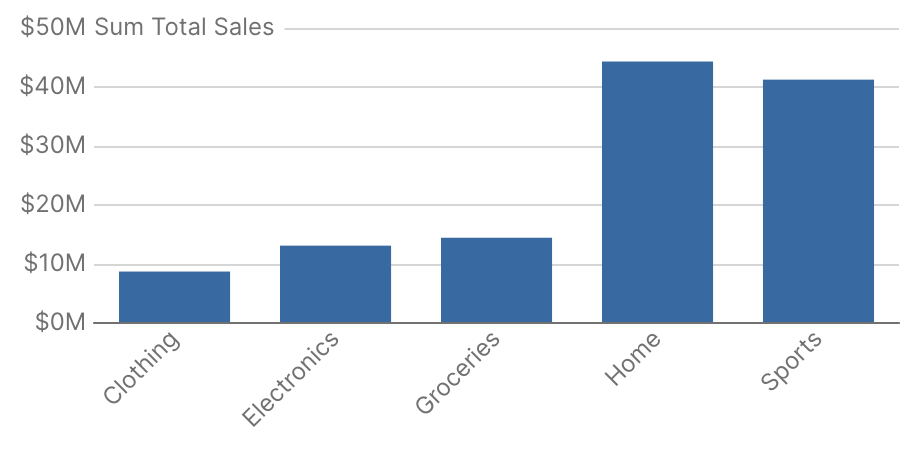
🚀 Sidebar Icons and Sorting
Add custom icons and adjust the sort order of projects and pages in the sidebar✨ Jump to Code
In the editor preview, Cmd/Ctrl + click on a component to jump to the code for that componentYou can jump to code by Cmd/Ctrl + clicking a component in the preview pane, or you can jump to the component preview by Cmd/Ctrl + clicking the code in your editor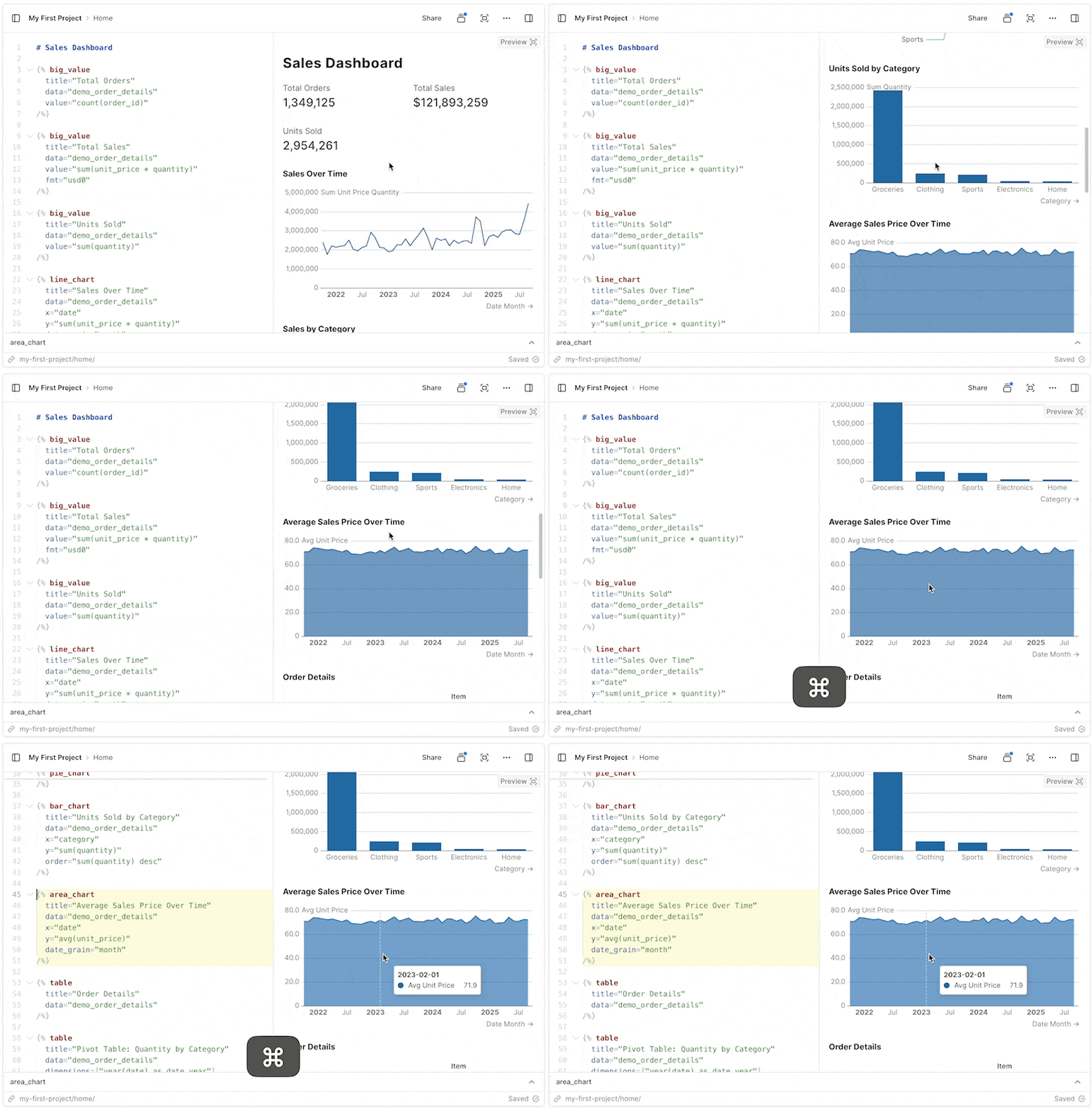
🐛 Fixes for table pivoting
Fixed issue where columns were not properly pivoting in tables🚀 Drag and drop image support
Drag, or paste images into the editor to add them to your page.✨ Models (Beta)
Join sources together and materialize the results to improve performanceModels can be used to execute joins across sources, centralize type casting, and create clean tables to use when building reports. Models are run and materialized every 8 hoursView Documentation✨ Set custom end date for date ranges
Use a dynamic end date for date ranges based on your data or a standard offsetBy default, date ranges end as of today’s date, but this setting allows you to choose a date based on a standard offset (e.g., 1 day ago) or by passing a sql query to calculate the date (e.g.,select max(date) from my_table)✨ Bar chart opacity setting
Customize the opacity of bars in bar chart and combo chart components🚀 Project Sections
Organize projects into sections for easier navigation during developmentSections will not impact how projects are arranged in the app published to Viewer users🐛 Version control overflow
Fixes a bug where if you changed lots of files it overflowed the Version History panel✨ Option to choose first day of week
In project settings, you can now choose whether weeks start on Sunday or Monday🚀 Better SQL Autocomplete Suggestions
Improved SQL suggestions for columns, and tables after joins🚀 Variable name shortcuts + use in markdown
Variables no longer require specifying a property - simply use the name, like{{ my_var }}You can also use variables directly in markdown, including in headers and lists. You still have access to variable properties and can reference them like this: {{ my_var.selected }}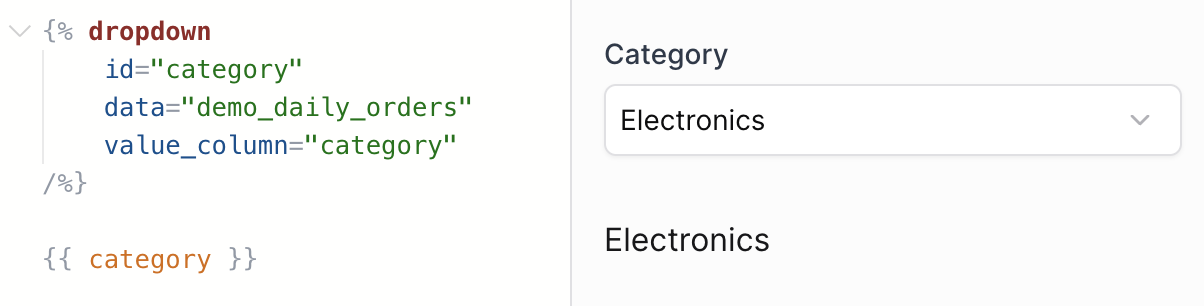
🚀 Performance improvement for table comparisons
Tables containing comparisons should now load much faster🚀 More source sync info
View the number of rows in a source, and the amount of time it took for the source sync from the Sources page.✨ Use variables inside components
You can now reference filter variables directly in component attributesSupports the following attributes: title, subtitle, info, where, date_grain, date_range.range, comparison.compare_vs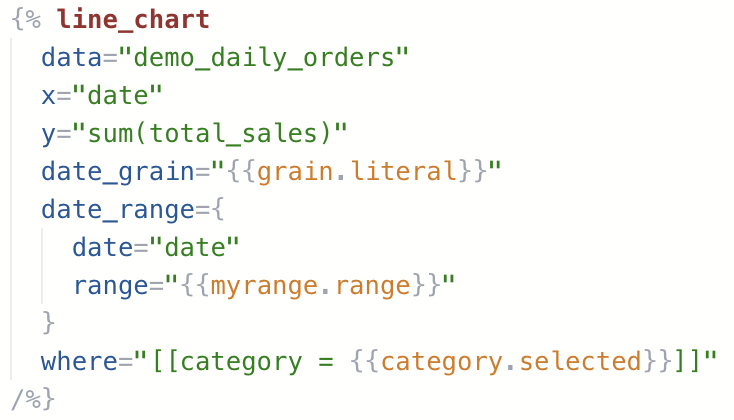
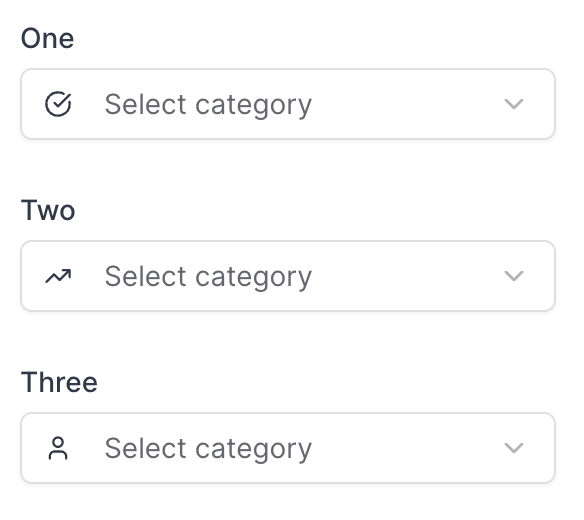
✨ Selector components for date grain and comparisons
Special components for selecting date grain and comparisons🚀 Dynamic date ranges
Input arbitrary ranges into the date_range attribute in components, like “last 14 weeks” or “2023-01-14 to 2025-11-30”🐛 Filter scroll fix
Fixed a bug where selecting a filter caused the page to jump back to the top.✨ Select preset ranges in range calendar
Choose which preset ranges you want your users to see when clicking the range calendar component🐛 SQL comments in inline queries
You can now add comments to inline queries without breaking them✨ Option to turn legend off in charts
You can now turn off chart legends with legend=false🚀 Conditional component render instantly
When previewing or viewing published pages, the initial state of any if/else_if/else conditions will be pre-calculated before the page loads.🚀 Better label spacing on x-axis
Improvement to the alignment and spacing of labels on the x-axis🐛 Fix target comparison totals in table
Fixed an issue where target comparisons were hidden in total rows🐛 Improved date behaviour
Previously, database columns that returned Date type would return DateTime precision, which is confusing in the UI. Now dates will return no additional time componentValues that are Date type will no longer display time component in Tables, Values, and in various input components. Eg a Date previously formatted 2025-09-22T14:05:23Z would now be returned as 2025-09-22.🐛 Fix Explore table resize and scroll
Fixes an issue where tables on the Explore page would resize and cut off content🚀 Comparison Tooltip Improvements
Fixed issue with percentage calculations for negative values. Added support for custom formats.✨ Make Feature Requests in AI Chat
Now you can ask the Evidence chat to submit a feature request to the Evidence team🐛 Fixed unexpected date offsets
In certain timezones, dates were being transposed by a small number of seconds in Chrome and Safari. This could cause date formats to render incorrectly, for example showing the day before the expected date.🚀 RLS Enhancements
Added variable support for IN/NOT IN operators, ‘Apply All’ rule option, new panel interface, and per-user variable editing capabilities.🚀 Improved Inline SQL Editor
See available variables, inline queries, and a preview of compiled SQL when editing queries in the inline SQL editor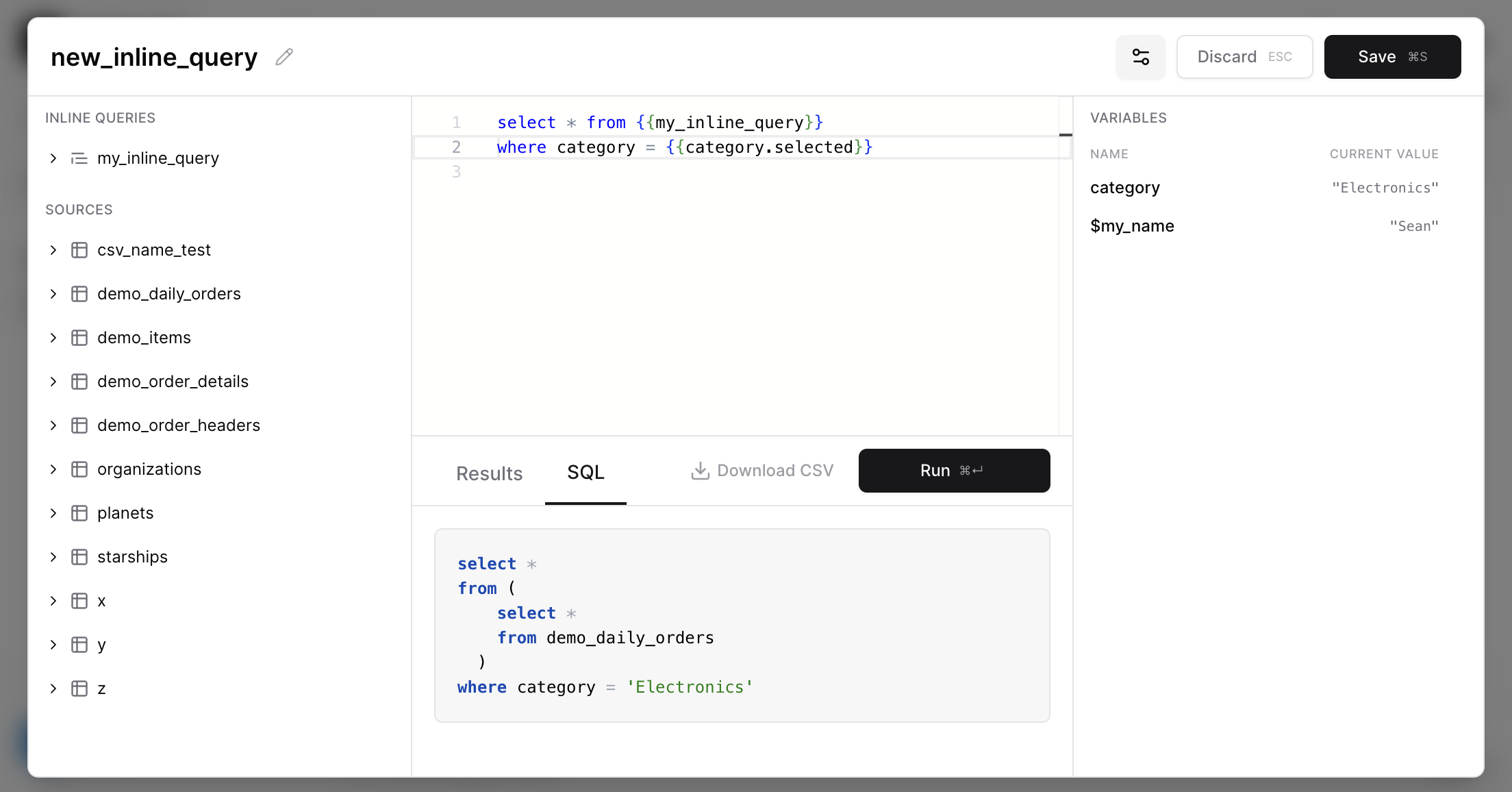
🚀 Improved international character support in SQL queries
You can now include Japanese, Chinese, emoji, and other non-Latin characters directly in SQL passed to components✨ Page Loading (table)
Tables now load instantly on preview and published pagesThis is the first change in a journey to fully enable Server-Side Rendering in Evidence pages. The table is the first component to support this behavior, which enables the following features:- Tables load instantly on preview and published pages (no more loading spinner when the page loads)
- Chat can now debug SQL query errors in Table components
This change lays the groundwork for other components to opt into this new Server-Side Rendering system.
✨ Add optional dark_url prop to image component
Image components can now display different images in light and dark modes using the newdark_url prop.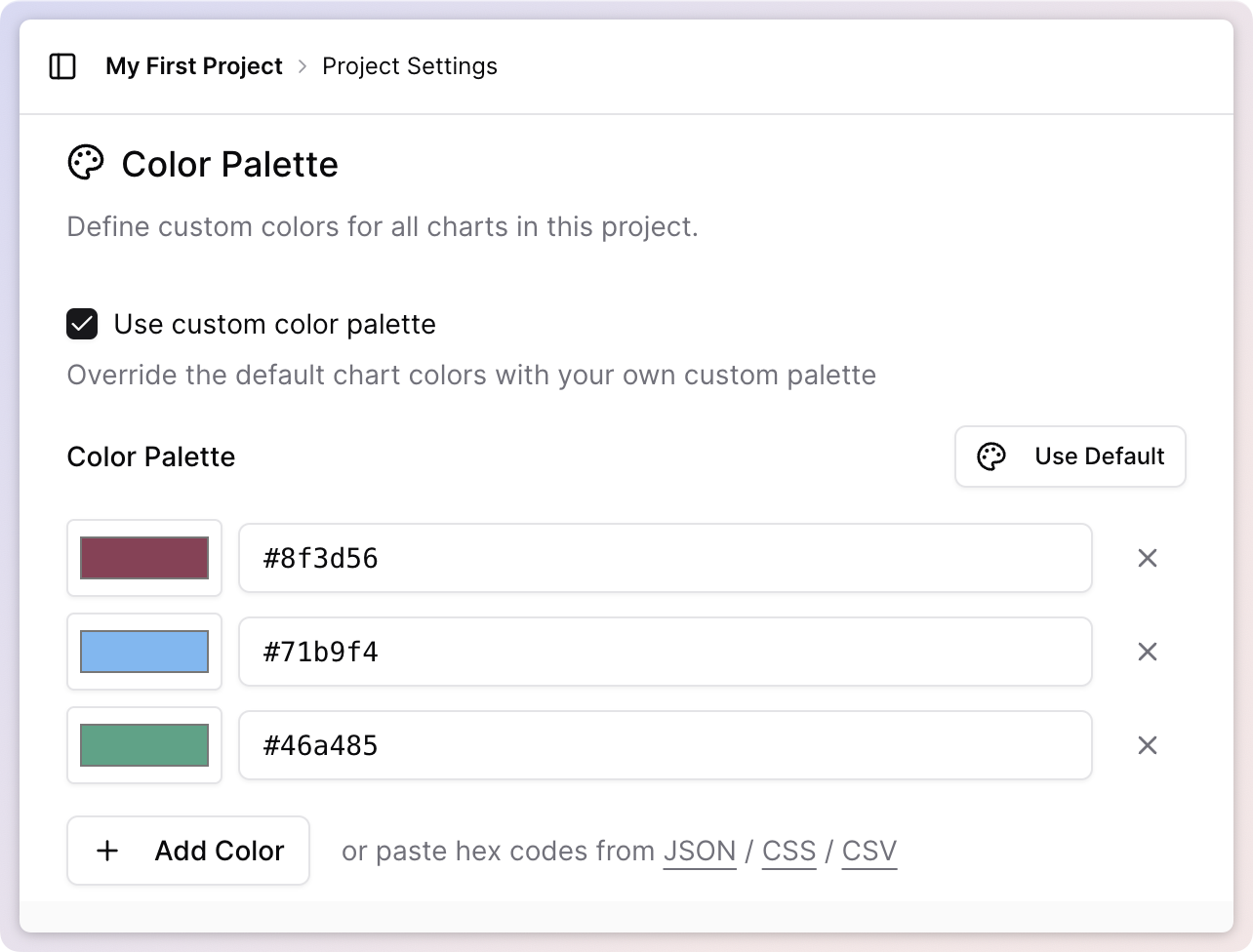
🚀 Improved Default Funnel Chart Styling
Funnel Charts are more intuitive to read, with a squared off style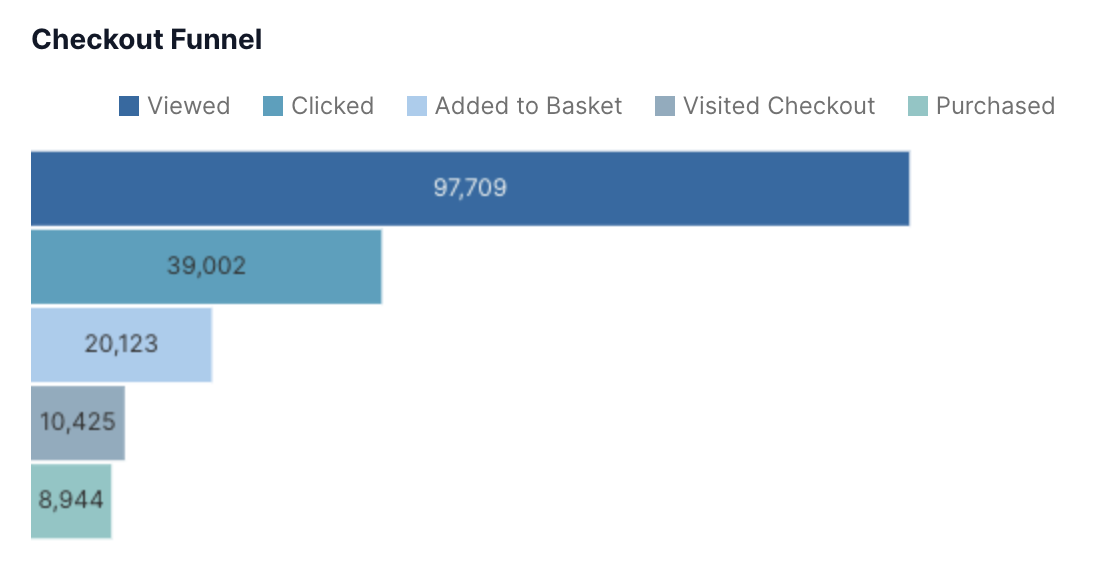
🐛 Fix Comparison Issues
Fixed bug for target comparisons which resulted in undefined error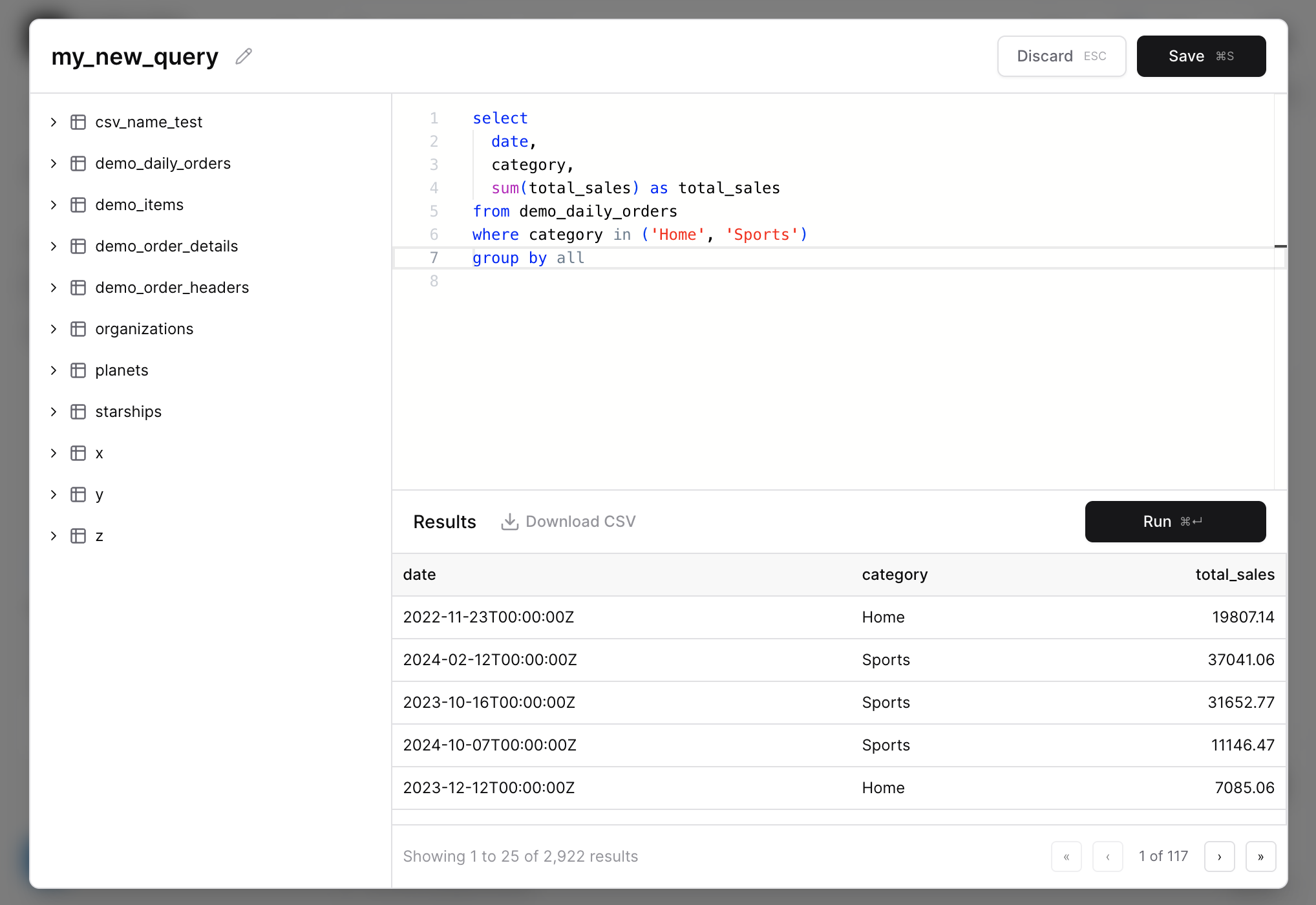
✨ Icon Component
Add icons inline into markdown, with configuration for color and size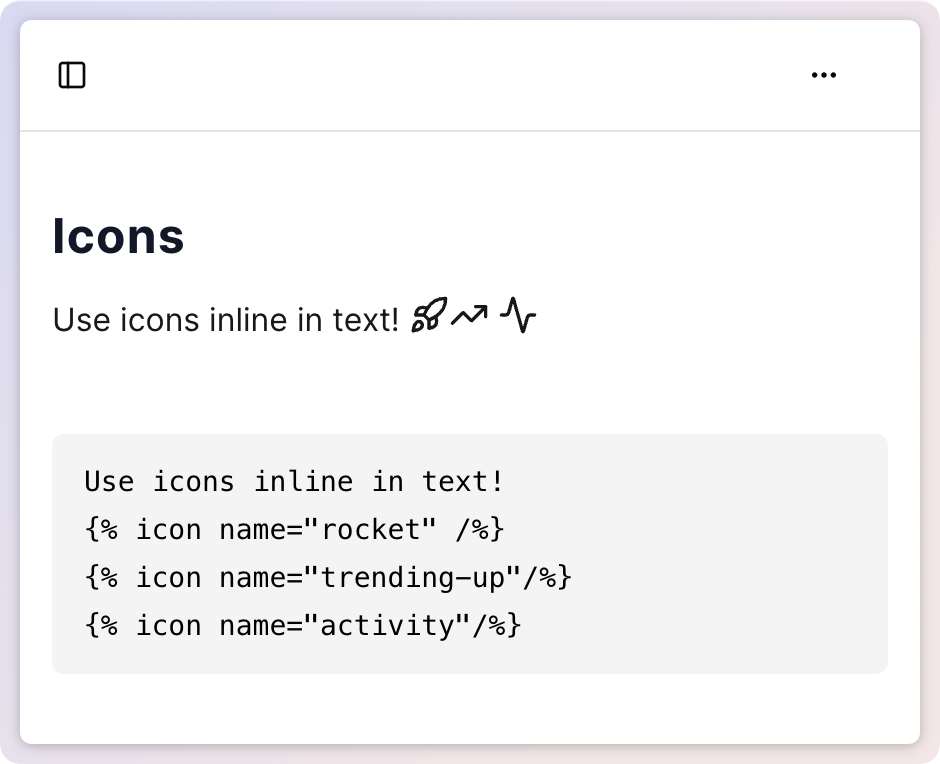
✨ Row Level Security
Add rules to restrict which rows of are visible to users from sourcesAdd RLS rules to data source columns, and add user variables to determine which values in these columns allow access.View Documentation🚀 Custom Color Palettes
All charts now support custom color palettes via the “chart_options” attributePass an array of hex codes to the color_palette option e.g.color_palette=["#ff0000","#00ff00"]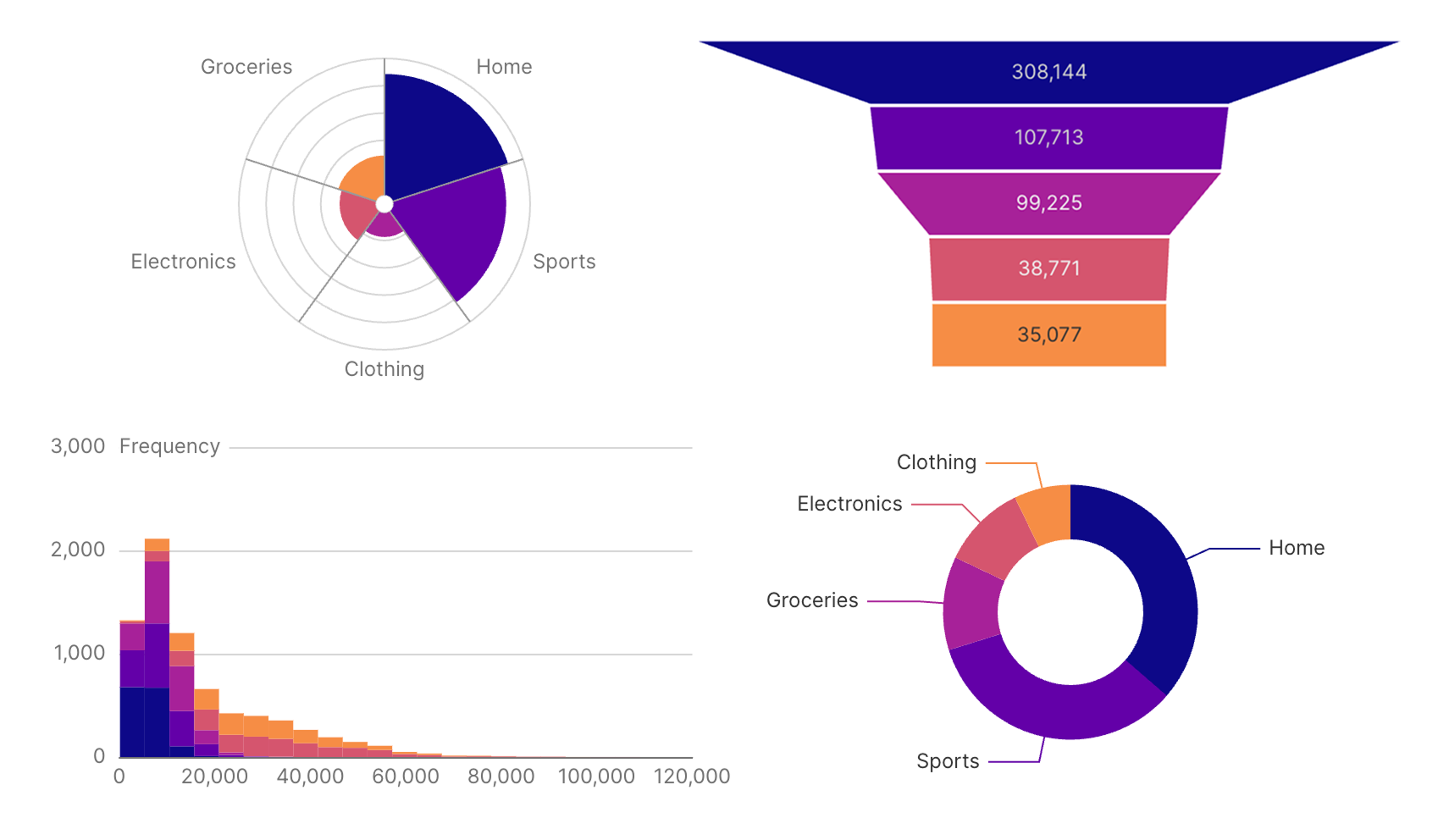
🐛 Fix Editor Overwriting Bug
Fixed bug where switching pages and then hitting Ctrl+Z would overwrite your page with the content of the previous page.🚀 Sidebar Hover Text
Adds hover text to sidebar items that are truncated due to length🐛 Table Filter Option Overflow
Fixed a bug where long string values in the table filter overlapped each other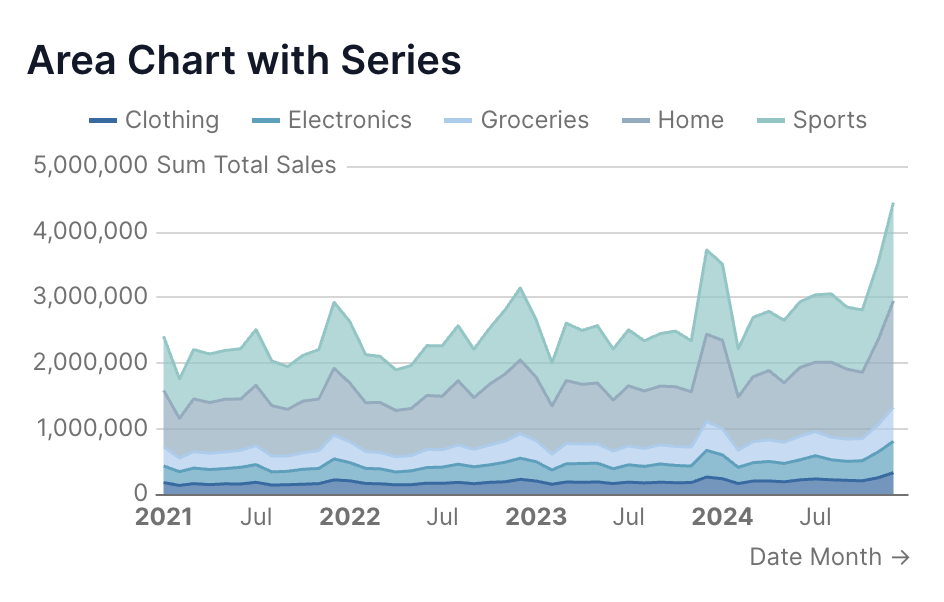
🐛 Fix High Precision Decimals in Postgres
Resolves issue where tables containing decimal columns with more that 9 digits of precision were failing to publish🚀 Editor Loading Speed
We’ve significantly improved the load speeds when switching between pages in the editor.✨ Link Button
Use the link button to link to another page in Evidence or an external locationView Documentation✨ Print Format Components
Add page breaks, print groups, and hide elements from PDF downloads🐛 If / Else Behaviour Fix
Fixed some issues with the if /else components which sometimes caused them to not display information when they should✨ Accordian components
Organize content into collapsible accordian sections✨ Axis Label Interval Control
More control over the intervals between labels on charts🐛 Long Page Name Overflow
Long page and directory names now truncate in the sidebar to prevent the action button being hidden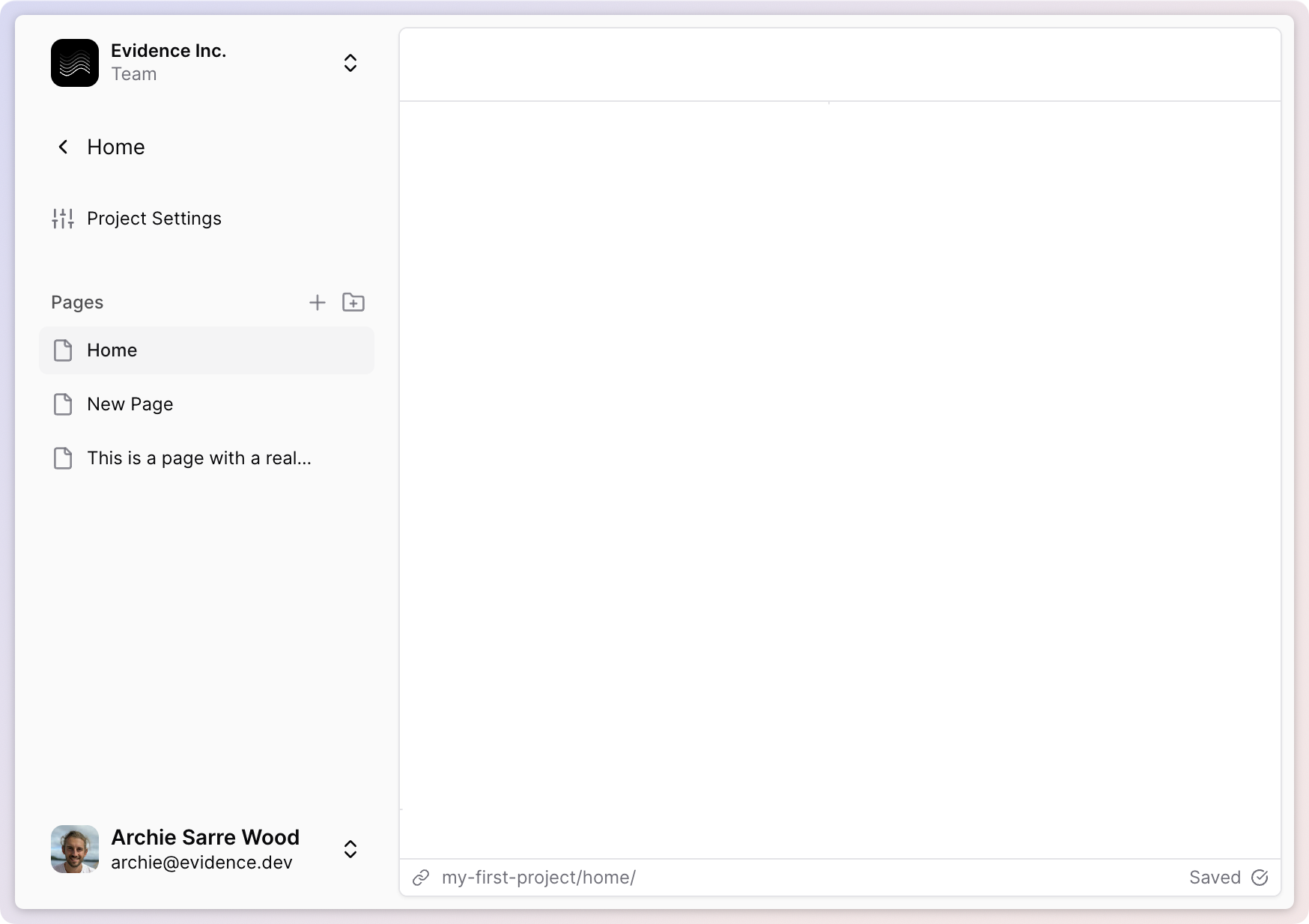
✨ Variables
Define variables in frontmatter and use them in markdown, SQL and componentsView Documentation✨ Column-level control for tables
Control formatting for each column in a table✨ Conditional formatting in tables
Use color scale to conditionallyformat values in a table🚀 Improved Explore page
Supports more date grain options and improved share experience🚀 Improved pivot table
Table now supports more complex pivot table scenarios✨ Link support in tables
Add links to columns in a table, or set up row links🚀 New date grain options
Inclues special grains like ‘day of week’ and ‘month of year’, with built-in labels✨ New table visualizations
Add bar charts, sparklines, and deltas to your columns✨ Period over period comparisons
Automatically compare values vs. prior year, prior period, or target. Available in table and big value.🐛 Delete Connections Fix
Fixed a bug which only allowed you to delete the most recently added connection✨ Page linking
Link to other Evidence pages using markdown links🐛 Respect columns option in table filter
Fix bug which ignored columns selection in table filter🐛 Table filter responsiveness
Fix bug which prevented table filter inputs from taking effect immediately after adding the table filter to the page.✨ Filter interpolation
Reference filter values inside of inlined queries, and view the state of your filters in the new filters pane of the devtools sidebar.View Documentation🚀 Agent Keyboard Shortcut
Ctrl+Alt+I (Mac: Cmd+Shift+I) to open a chat with the Evidence agent from anywhere in the Editor✨ Reference Components
Usereference_line, reference_area, and reference_point to add reference annotations to your chartsView Documentation🚀 Postgres Schema Support
Use tables in any Postgres schema (not just the default “public” schema)✨ Import Views as Sources
All supported DBs now allow importing views as sources🚀 Public Documentation
We’ve published full documentation at https://docs.evidence.studio✨ Card Option for Row and Stack Components
Addedcard option to row and stack components to display their contents as a single card.✨ Data Point Labels
Label each data point in your chart with thedata_labels option✨ Downloadable Data
Right click any chart to download its data, or use the kebab menu in the top left of the published page to download a whole page’s data.✨ Chart, Axis, and Series Options
Newchart_options, x_axis_options, y_axis_options, y2_axis_options, and series options for customizing your charts.🐛 Inline Query Date Validation
Fixes issue creating visualizations using inline queries with dates✨ Markdown Comments
Adds support for mardown comments with<!— —>. Mac: Cmd + / Windows: Ctrl + /✨ Combo Chart
Added acombo_chart component that allows you to combine area, bar, bubble, line, and scatter series on one chart.✨ Accept and Reject Changes Panel in Diff View
Added accept and reject buttons to the top of the diff view.🚀 Connection Documentation
Added generaldocumentation for data connections.🐛 Fix to give AI agent knowledge of inline queries
Fixed the issue where the AI agent did not know about inline queries on your page.🐛 Fix to Maintain Chart Height
Fixed the issue where the chart height was shrinking when title and legend were added.🚀 Link to All Docs in Sidepane
Added a link to all docs in the docs tab of the editor.✨ Custom X and Y Chart Titles
Added the ability to customizex_title and y_title for charts.