> ## Documentation Index
> Fetch the complete documentation index at: https://docs.evidence.studio/llms.txt
> Use this file to discover all available pages before exploring further.
# Date Grain Selector
> Display a selector for date grain options to use in SQL query templates
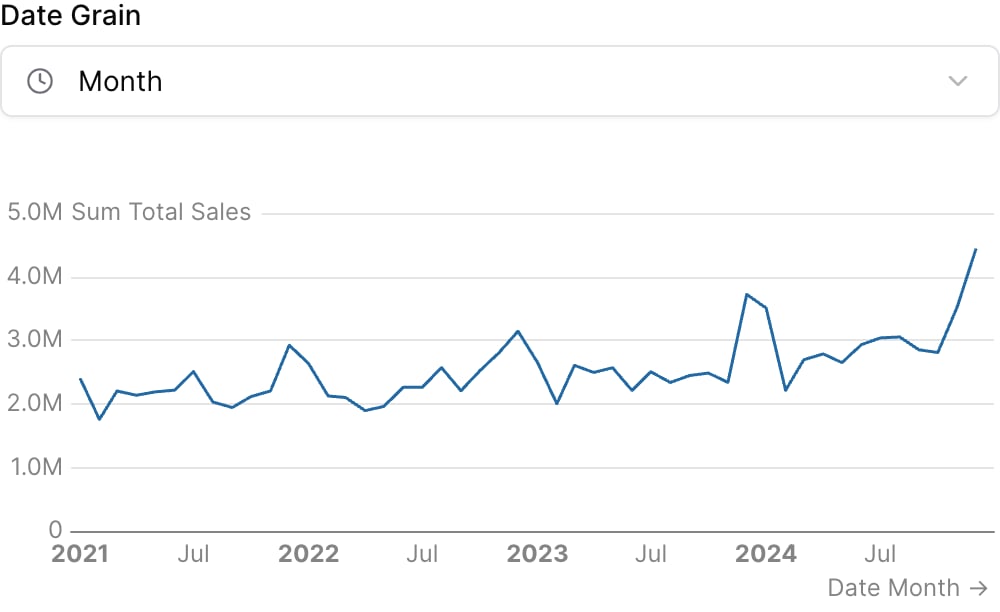 ```liquid theme={null}
{% date_grain_selector
id="time_grain"
default_value="month"
/%}
{% line_chart
data="demo.daily_orders"
x="date"
y="sum(total_sales)"
date_grain={{time_grain}}
/%}
```
## Examples
### Using `date_grain`
```liquid theme={null}
{% date_grain_selector
id="time_grain"
default_value="month"
/%}
{% line_chart
data="demo.daily_orders"
x="date"
y="sum(total_sales)"
date_grain={{time_grain}}
/%}
```
### Using Inline SQL
```liquid theme={null}
{% date_grain_selector
id="time_grain"
default_value="month"
/%}
{% line_chart
data="demo.daily_orders"
x="date"
y="sum(total_sales)"
date_grain={{time_grain}}
/%}
```
## Examples
### Using `date_grain`
```liquid theme={null}
{% date_grain_selector
id="time_grain"
default_value="month"
/%}
{% line_chart
data="demo.daily_orders"
x="date"
y="sum(total_sales)"
date_grain={{time_grain}}
/%}
```
### Using Inline SQL
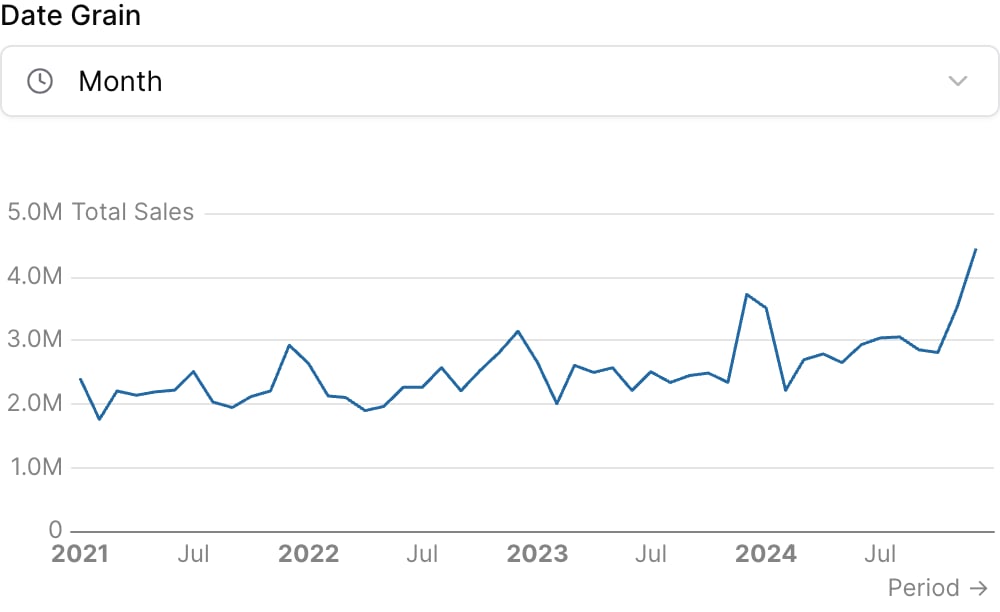 ````liquid theme={null}
{% date_grain_selector
id="time_grain"
default_value="month"
/%}
```sql sales_by_period
select
date_trunc({{time_grain}}, date) as period,
sum(total_sales) as total_sales
from demo.daily_orders
group by 1
order by 1
```
{% line_chart
data="sales_by_period"
x="period"
y="total_sales"
/%}
````
## Attributes
The id of the date grain selector to be used in SQL query templates
Optional array of preset date grain values to show. If not provided, all date grain options will be available.
Default date grain to select on load
**Allowed values:**
* `day`
* `week`
* `month`
* `quarter`
* `year`
* `hour`
* `day of week`
* `day of month`
* `day of year`
* `week of year`
* `month of year`
* `quarter of year`
Text displayed above the selector
Information tooltip text
URL to link the info text to (can only be used with info)
Create a custom link title for the info link, placed after the info text (can only be used with info\_link)
Placeholder text displayed when no value is selected
Icon to display
Set the width of this component (in percent) relative to the page width
## Using the Filter Variable
Reference this filter using `{{filter_id}}`. The value returned depends on where you use it.
| Context | Default Property | No Selection | Result |
| ----------------- | ---------------- | ------------ | --------- |
| Inline SQL query | `.selected` | `''` | `'month'` |
| `where` attribute | `.selected` | `''` | `'month'` |
| Text / Markdown | `.literal` | | `month` |
### Available Properties
You can also access specific properties using `{{filter_id.property}}`:
#### .selected
Returns the selected date grain value with quotes. Returns an empty string when no value is selected.
````liquid theme={null}
{% date_grain_selector id="grain" preset_values=["day", "week", "month"] /%}
```sql sales_by_grain
select
toStartOf{{grain.selected}}(date) as period,
sum(sales) as total_sales
from orders
group by period
```
````
**Example value:** `'month'`
#### .literal
Returns the raw unescaped selected value. Use this with the `date_grain` attribute.
````liquid theme={null}
{% date_grain_selector id="grain" preset_values=["day", "week", "month"] /%}
```sql sales_by_grain
select
{{grain.literal}} as period,
sum(sales) as total_sales
from orders
group by period
```
````
**Example value:** `month`
````liquid theme={null}
{% date_grain_selector
id="time_grain"
default_value="month"
/%}
```sql sales_by_period
select
date_trunc({{time_grain}}, date) as period,
sum(total_sales) as total_sales
from demo.daily_orders
group by 1
order by 1
```
{% line_chart
data="sales_by_period"
x="period"
y="total_sales"
/%}
````
## Attributes
The id of the date grain selector to be used in SQL query templates
Optional array of preset date grain values to show. If not provided, all date grain options will be available.
Default date grain to select on load
**Allowed values:**
* `day`
* `week`
* `month`
* `quarter`
* `year`
* `hour`
* `day of week`
* `day of month`
* `day of year`
* `week of year`
* `month of year`
* `quarter of year`
Text displayed above the selector
Information tooltip text
URL to link the info text to (can only be used with info)
Create a custom link title for the info link, placed after the info text (can only be used with info\_link)
Placeholder text displayed when no value is selected
Icon to display
Set the width of this component (in percent) relative to the page width
## Using the Filter Variable
Reference this filter using `{{filter_id}}`. The value returned depends on where you use it.
| Context | Default Property | No Selection | Result |
| ----------------- | ---------------- | ------------ | --------- |
| Inline SQL query | `.selected` | `''` | `'month'` |
| `where` attribute | `.selected` | `''` | `'month'` |
| Text / Markdown | `.literal` | | `month` |
### Available Properties
You can also access specific properties using `{{filter_id.property}}`:
#### .selected
Returns the selected date grain value with quotes. Returns an empty string when no value is selected.
````liquid theme={null}
{% date_grain_selector id="grain" preset_values=["day", "week", "month"] /%}
```sql sales_by_grain
select
toStartOf{{grain.selected}}(date) as period,
sum(sales) as total_sales
from orders
group by period
```
````
**Example value:** `'month'`
#### .literal
Returns the raw unescaped selected value. Use this with the `date_grain` attribute.
````liquid theme={null}
{% date_grain_selector id="grain" preset_values=["day", "week", "month"] /%}
```sql sales_by_grain
select
{{grain.literal}} as period,
sum(sales) as total_sales
from orders
group by period
```
````
**Example value:** `month`